● videoThe Course Page
Adding Videos
Unlock The Imposter's Frontend Accelerator
Subscribe for full access to every course, or buy this one on its own.
SECTION
The Course Page
NEXT UP
Refactoring Pinia
COURSE
The Imposter's Frontend Accelerator
32 lessons
About this lesson
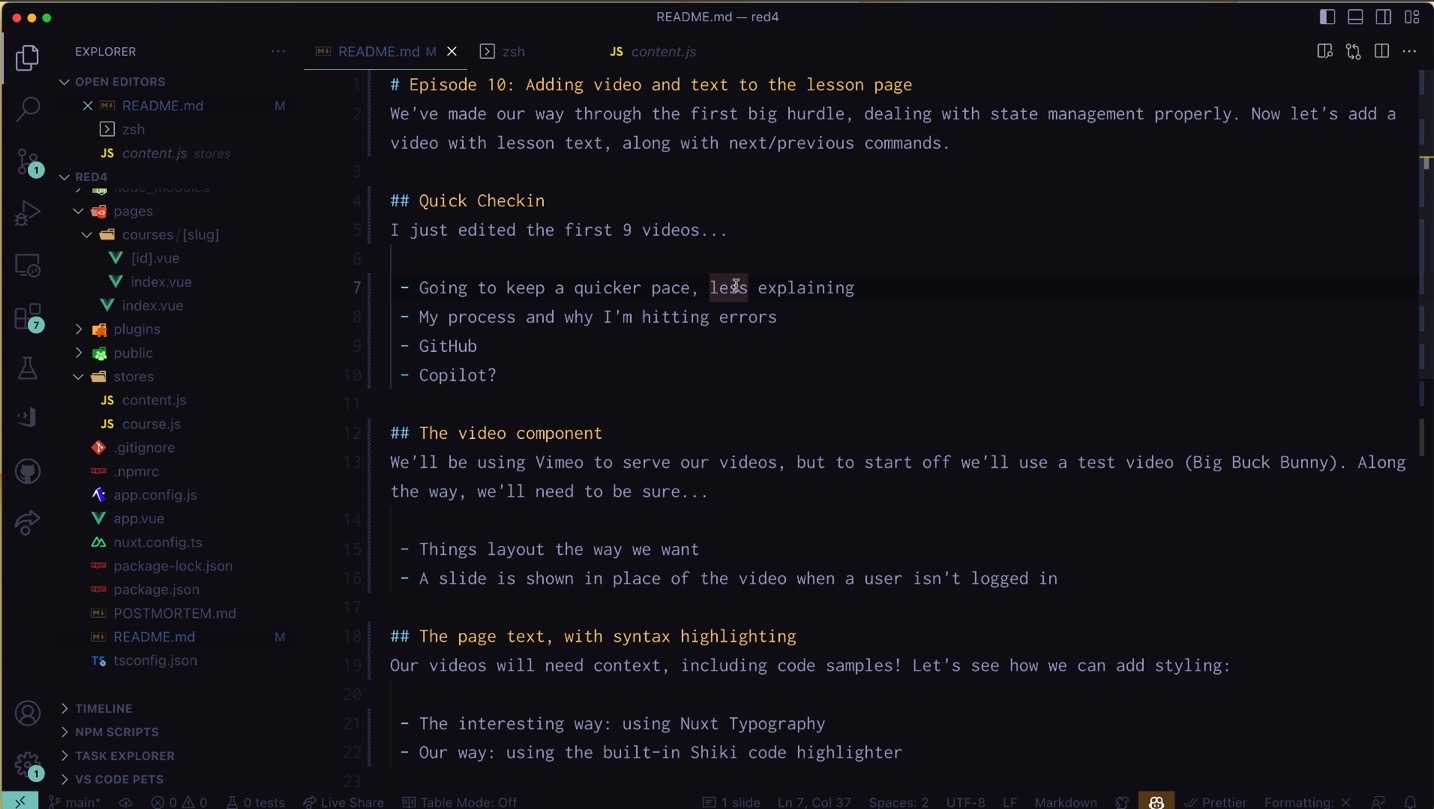
We've made our way through the first big hurdle, dealing with state management properly. Now let's add a video with lesson text, along with next/previous commands.
Quick Checkin
I just edited the first 9 videos...
- Going to keep a quicker pace, less explaining
- My process and why I'm hitting errors
- GitHub
- Copilot?
The video component
We'll be using Vimeo to serve our videos, but to start off we'll use a test video (Big Buck Bunny). Along the way, we'll need to be sure...
- Things layout the way we want
- A slide is shown in place of the video when a user isn't logged in
The page text, with syntax highlighting
Our videos will need context, including code samples! Let's see how we can add styling:
- The interesting way: using Nuxt Typography
- Our way: using the built-in Shiki code highlighter
Next/Previous commands
Every video app needs a next/previous! We'll add ours without overthinking things.
- Add the buttons to a bottom bar
- Use
findSurroundto get the next and previous pages - Use our own sorting method to see which we like more.
Unlock The Imposter's Frontend Accelerator
Subscribe for full access to every course, or buy this one on its own.