Narrowing Our Search
Watch the whole thing, no account needed. If it clicks, grab PostgreSQL Fundamentals for lifetime access to every lesson.
To see a description of a table in Postgres, we use the "describe" command followed by the object we want described: \d csvs.master_plan.
We're trying to isolate the Enceladus plan data, so for that we can use a simple select statement with a where clause. There's a lot of data in there and we don't want it all back, so we can limit the result using limit:
<span class="hljs-keyword">select</span> team, spass_type, target
<span class="hljs-keyword">from</span> csvs.master_plan
<span class="hljs-keyword">where</span> target<span class="hljs-operator">=</span><span class="hljs-string">'Enceladus'</span> limit <span class="hljs-number">10</span>;
This equality predicate (where target='Enceladus') is case sensitive and very strict - it has to be an exact match. We'd like a more "fuzzy" search, so we can use a matching regular expression in our predicate with the ~* operator:
<span class="hljs-keyword">select</span> team, spass_type, target
<span class="hljs-keyword">from</span> csvs.master_plan
<span class="hljs-keyword">where</span> target <span class="hljs-operator">~</span><span class="hljs-operator">*</span> <span class="hljs-string">'Enceladus'</span> limit <span class="hljs-number">10</span>;
That's a case insensitive match. If we wanted a case sensitive matching expression we could use ~:
<span class="hljs-keyword">select</span> team, spass_type, target
<span class="hljs-keyword">from</span> csvs.master_plan
<span class="hljs-keyword">where</span> target <span class="hljs-operator">~</span> <span class="hljs-string">'Enceladus'</span> limit <span class="hljs-number">10</span>;
Many times you'll want to isolate the distinct values of a column. This can be to check if there are spelling/casing issues OR to isolate data in order to create a separate table. You can do this using distinct:
<span class="hljs-keyword">select</span> <span class="hljs-keyword">distinct</span> target <span class="hljs-keyword">from</span> csvs.master_plan <span class="hljs-keyword">order</span> <span class="hljs-keyword">by</span> target;
To figure out how many total records we have matching our where predicate we can use count:
<span class="hljs-keyword">select</span> <span class="hljs-built_in">count</span>(<span class="hljs-number">1</span>) <span class="hljs-keyword">from</span> csvs.master_plan <span class="hljs-keyword">where</span> target <span class="hljs-operator">~</span><span class="hljs-operator">*</span> <span class="hljs-string">'Enceladus'</span>;
You can make your where predicate more exclusive by adding and. This query is using the Postgres case-insensitive "fuzzy" keyword ilike, which accepts a wildcard % that says "show me all the rows where the target is Enceladus and the title starts with the characters flyby:
<span class="hljs-keyword">select</span> start_time_utc, title
<span class="hljs-keyword">from</span> csvs.master_plan <span class="hljs-keyword">where</span> target<span class="hljs-operator">=</span><span class="hljs-string">'Enceladus'</span>
<span class="hljs-keyword">AND</span> title ilike <span class="hljs-string">'flyby%'</span>;
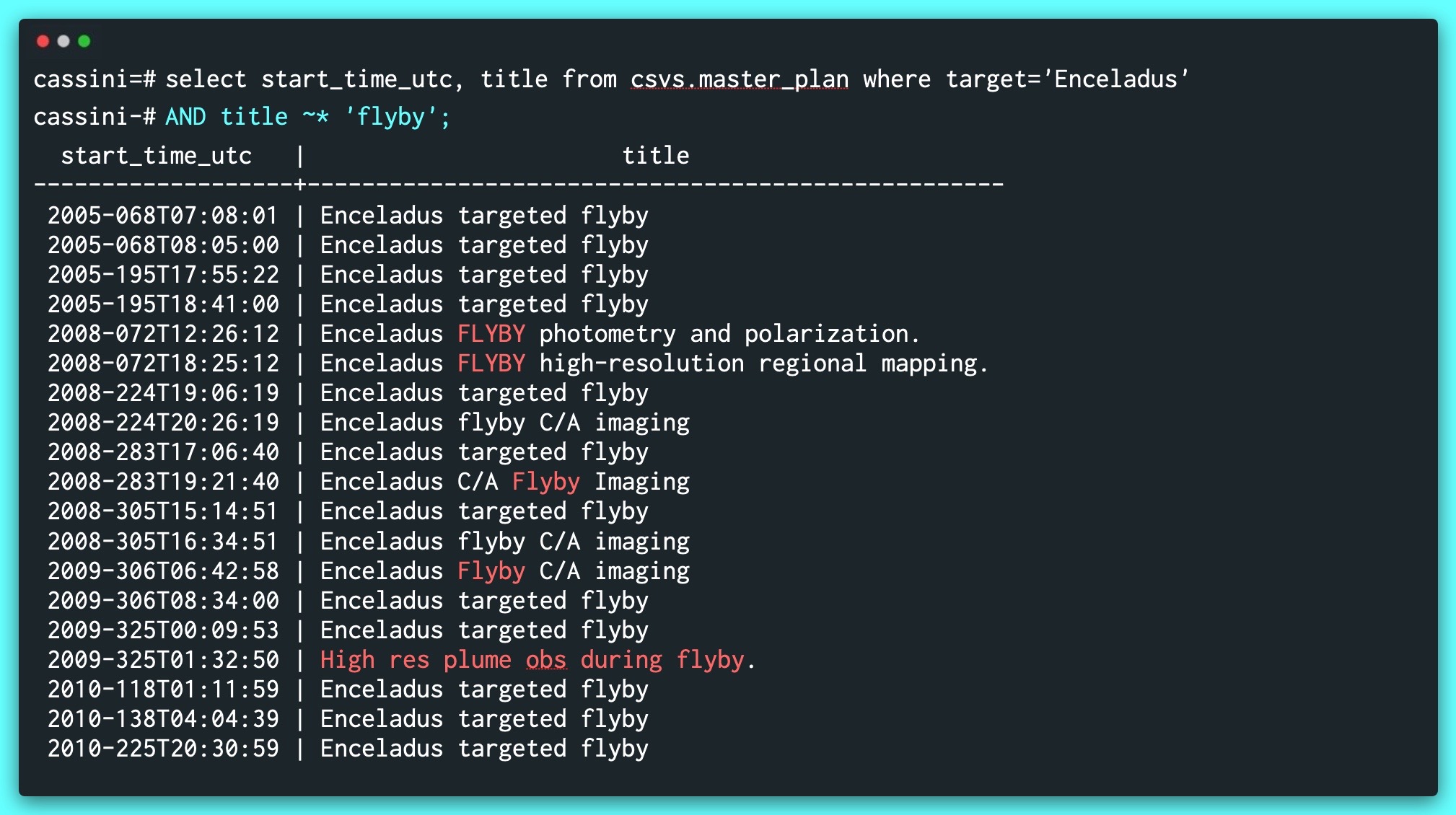
We want something a little more fuzzy, however, because we don't know if the title will actually start with the term flyby - that means we want something that contains the word flyby. We can, once again, use a regular expression for this, without the wildcard:
<span class="hljs-keyword">select</span> start_time_utc, title
<span class="hljs-keyword">from</span> csvs.master_plan <span class="hljs-keyword">where</span> target<span class="hljs-operator">=</span><span class="hljs-string">'Enceladus'</span>
<span class="hljs-keyword">AND</span> title <span class="hljs-operator">~</span><span class="hljs-operator">*</span> <span class="hljs-string">'flyby'</span>;