Isolating the Enceladus Data
2 hours of SQL video using NASA's Cassini data. See why developers become data pros.
We'll start by creating a script to transform the imported data into something we can analyze later on. For that, we'll use bash:
mkdir enceladus #if you haven't already
touch enceladus/transform.sql
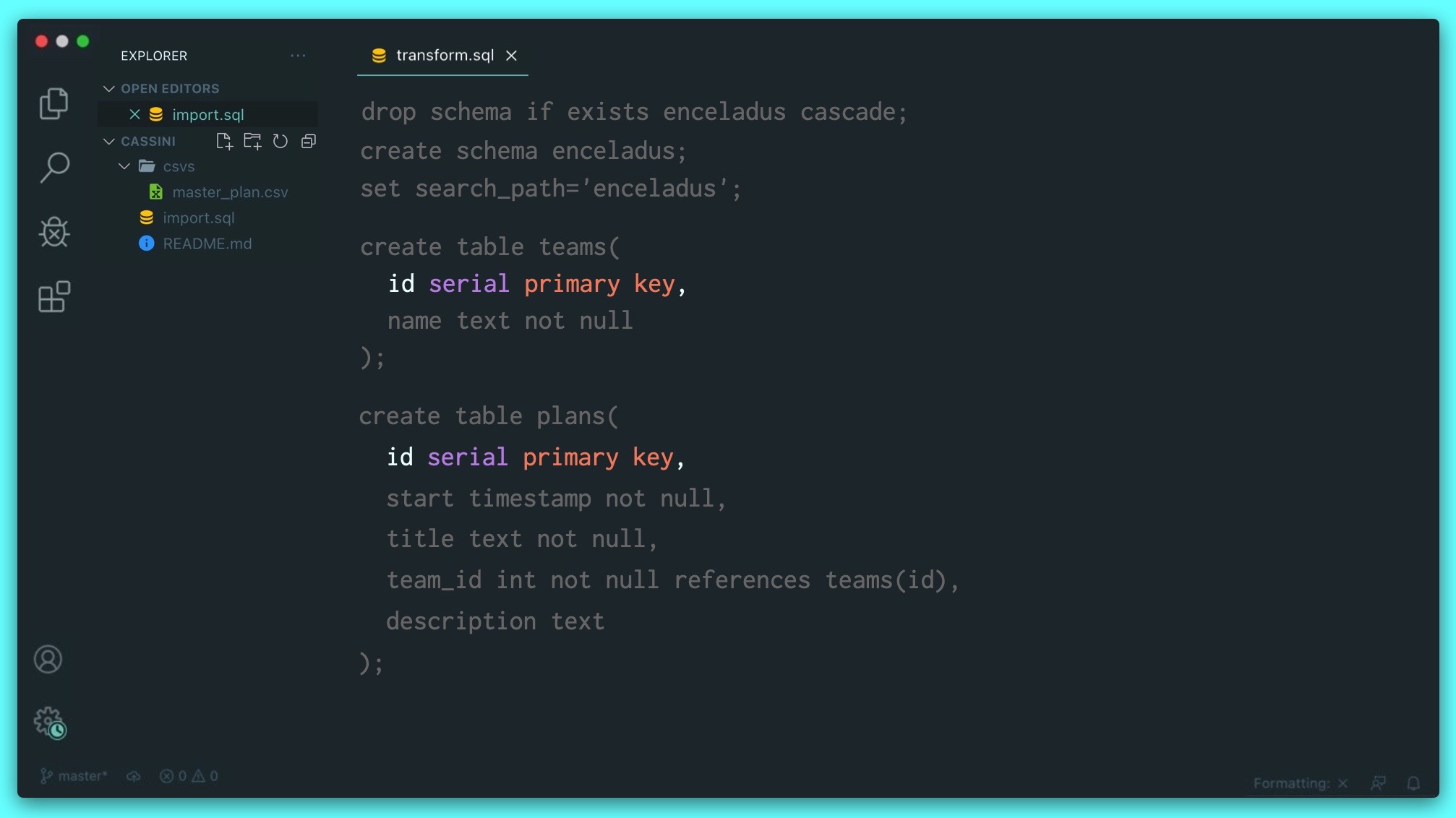
Once again, we'll create a schema to work in, but this time we'll ensure the script is idempotent from the start. As a convenience, we'll tell Postgres that every bit of SQL that's to come is to be run in the enceladus schema. We can do that by setting the search_path:
drop schema if exists enceladus cascade;
create schema enceladus;
set search_path='enceladus';
Creating our teams and plans table, which are related by a foreign key, which is the team_id in the plans table. It references the id of the teams table. We specify that using the keyword references:
drop schema if exists enceladus cascade;
create schema enceladus;
set search_path='enceladus';

create table teams(
  id serial primary key,
  name text not null
);

create table plans(
  id serial primary key,
  start timestamp not null,
  title text not null,
  team_id int not null references teams(id),
  description text
);
Now we need to add some data and we can do that using a new SQL friend, insert. You can insert data in two ways: using the results of a query or by creating a set of hard-coded values. We'll use a query:
insert into teams(name)
select distinct team from csvs.master_plan;

insert into plans(start, title, team_id, description)
select
  start_time_utc::timestamp,
  title,
  (select id from teams where name=csvs.master_plan.team),
  description
from csvs.master_plan
where target='Enceladus' and title is not null;
2 hours of SQL video using NASA's Cassini data. See why developers become data pros.