LAB: AI, Review Yourself
A focused workshop for working developers who need to use AI right now, in real projects, under real time pressure.
Some LLMs are very good at reviewing and refining code. It can be generated code, like we have, or code you or team have written.
The first thing it will do is to examine the style guides in the instructions, or in any documents you attach as context. That means you'll need to be sure you've spelled out what is expected in terms of review and code quality, which is where we'll start.
Step 1: Update the Instructions
If you don't have review guidelines set up for your project, you can have Copilot help you out (we'll be using Copilot for this last lab but use whatever tool you like).
Ghost text (code completions) is particularly helpful for this kind of thing. You can enable it for markdown by clicking on the Copilot icon in the bottom status bar of VS Code.
To get started:
- Create a new file called
review-guidelines.mdand put it in the/docsfolder. This isn't something Copilot will need to reference on every chat request - only when we're doing a review. - Start typing
# Code Review Guidelinesat the top, and let code completion take over…
Tab through what comes back, and see if it makes sense to you. Some of it will, but some things will no doubt be repetitive or useless.
For the sake of time, let's work with this set of guidelines that Claude Sonnet created for us:
# Code Review Guidelines

This document outlines the guidelines for conducting code reviews in our project. The goal is to ensure high-quality code, maintainability, and collaboration among team members.

## General Guidelines

  - All code should adhere to the project's coding standards and style guide.
  - Code should be well-structured, readable, and maintainable.
  - All code should be properly tested, with sufficient test coverage for new features or changes.
  - Code should be documented, including comments and JSDoc annotations.
  - Pull requests (PRs) should be used for all code changes, and they should include a clear description of the changes made, the purpose of the changes, and any relevant issue numbers.
  - Code should be reviewed by at least one other team member before merging into the main branch.
  - All code should be written in English to ensure clarity for all team members.

## Documentation

  - All code should be well-documented with comments explaining the purpose and functionality of complex logic.
  - API endpoints should be documented in the `docs/api.md` file.
  - Any significant architectural decisions should be documented in the `docs/architecture.md` file.
  - All changes should be accompanied by relevant documentation updates to ensure clarity for future developers.
  - All public methods and classes should have JSDoc comments to provide clear API documentation.
  - The README file should provide an overview of the project, setup instructions, and usage examples.
  - All documentation should be written in Markdown format and follow the project's style guide for consistency.
  - Documentation should be kept up-to-date with code changes to avoid discrepancies.

## Comment Guidelines

  - Comments should be used to clarify complex logic, explain the purpose of functions or classes, and provide context for why certain decisions were made.
  - Comments should not be used to explain simple or self-explanatory code.
  - Comments should be concise and relevant, avoiding unnecessary verbosity.
  - Comments should be written in English to ensure clarity for all team members.
  - Comments should follow the project's style guide for consistency in formatting and tone.
  - Comments should be placed above the code they refer to, using a consistent format (e.g. `//` for single-line comments, `/* ... */` for multi-line comments).
  - Avoid using comments to disable code; instead, remove or refactor the code as necessary.
  - Comments should not be used to explain the "what" of the code, as this should be clear from the code itself; instead, focus on the "why" and any important context.

## Code Review Process

  1. **Pull Request Creation**:
   Developers should create a pull request (PR) for any changes they wish to merge into the main branch. The PR should include a clear description of the changes made, the purpose of the changes, and any relevant issue numbers.
  2. **Assign Reviewers**:
   The developer should assign at least one reviewer to the PR. Reviewers should be familiar with the codebase and the specific area of the changes.
  3. **Review Guidelines**:
   Reviewers should follow these guidelines when reviewing code:

     - Check for adherence to the project's coding standards and style guide.
     - Ensure that the code is well-structured, readable, and maintainable.
     - Verify that the code is properly tested, with sufficient test coverage for new features or changes.
     - Look for potential bugs, performance issues, or security vulnerabilities.
     - Ensure that the code is properly documented, including comments and JSDoc annotations.
     - Check that the code does not introduce any breaking changes unless explicitly intended and documented.
  4. **Feedback and Discussion**:
   Reviewers should provide constructive feedback on the PR. This can include suggestions for improvements, questions about the implementation, or requests for additional tests or documentation. Discussion should be respectful and focused on improving the code quality.
  5. **Addressing Feedback**:
   The developer should address the feedback provided by the reviewers. This may involve making changes to the code, adding tests, or updating documentation. Once the feedback has been addressed, the developer should push the changes to the PR branch.
  6. **Approval and Merging**:
   Once all feedback has been addressed and the reviewers are satisfied with the changes, they should approve the PR. The developer can then merge the PR into the main branch. If there are any merge conflicts, they should be resolved before merging.
  7. **Post-Merge Actions**:
   After merging, the developer should ensure that the main branch is stable and that all tests pass. If necessary, the developer should also update any relevant documentation or notify the team about the changes made.
Now that we have this, let's have Copilot do a code review.
Step 2: Executing the Review
VS Code has a built-in code review tool that uses Copilot, but I have always struggled with it. The UX is barely usable and it's very slow, at least at the time of this writing.
What I find to be more useful is to run a quick report, review it, optionally save it to a markdown file, and then have Copilot make the changes.
It's easiest to just do it, rather than read about it:
- Open a Copilot chat pane, select “Edit” as the mode. We want edit mode just in case we want to save the file. We can't do that in Ask mode, which is odd.
- Open
lib/cart.jsin the editor, which will automatically add it to the chat context. - Drag in the
docs/review-guidelines.mdto the chat pane. - Enter the prompt:
review this code. text only for review
Claude is very thorough when it comes to code reviews, and you should see a list of issues, including validations, error handling, and more.
Let's save this to our project so we can use it as reference:
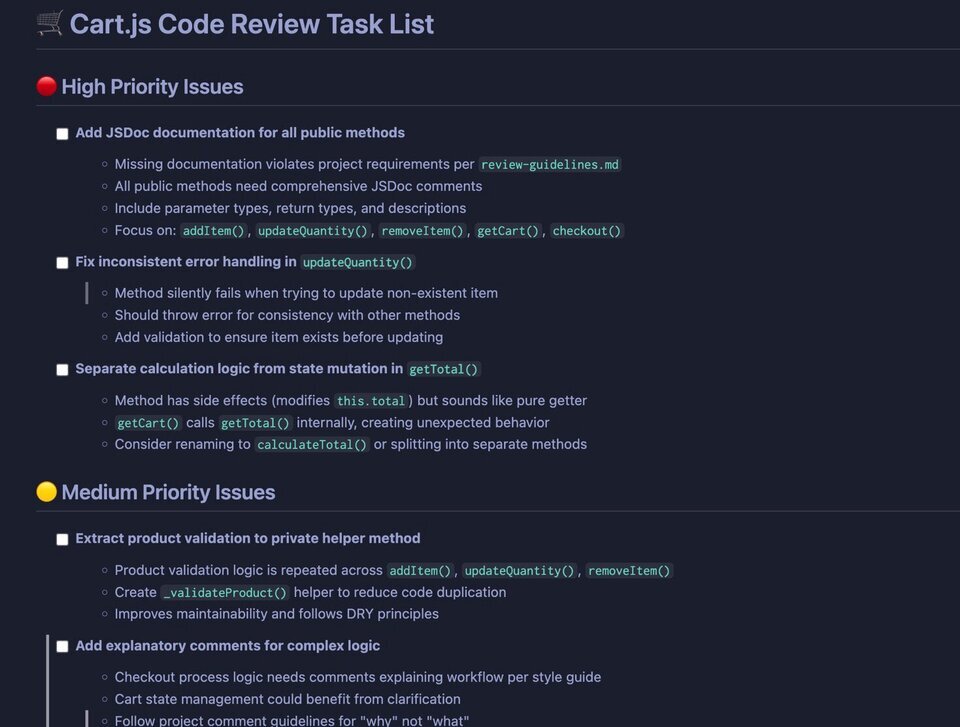
save this as a markdown task list file to the project
You should see a result like this:
Step 3: Fixing the Problems
Go through this list and see if it makes sense to you. Did you catch these errors in the code?
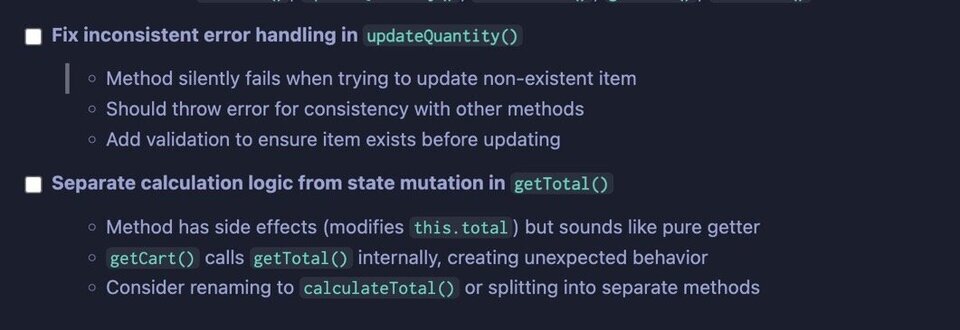
It's not easy to spot silent failures (which are so annoying), and dealing with side effects can be mind-numbing.
Let's give this document to Claude and tell it to fix the problems. We could also continue the chat session, but it's nice to have this document output so we can go over it with others on the team, if needed.
- Flip into Agent mode. You'll notice that we lose the context from the previous chat session, which is odd.
- Keep the
cart.jsfile open, for context. - Drag in the review document that we just made. Mine is titled
cart-review-tasks.md.
Now have Copilot fix the code: fix the cart code. Nice and terse. It should have all the context it needs!
You'll see Claude do it's thing and update the code files:
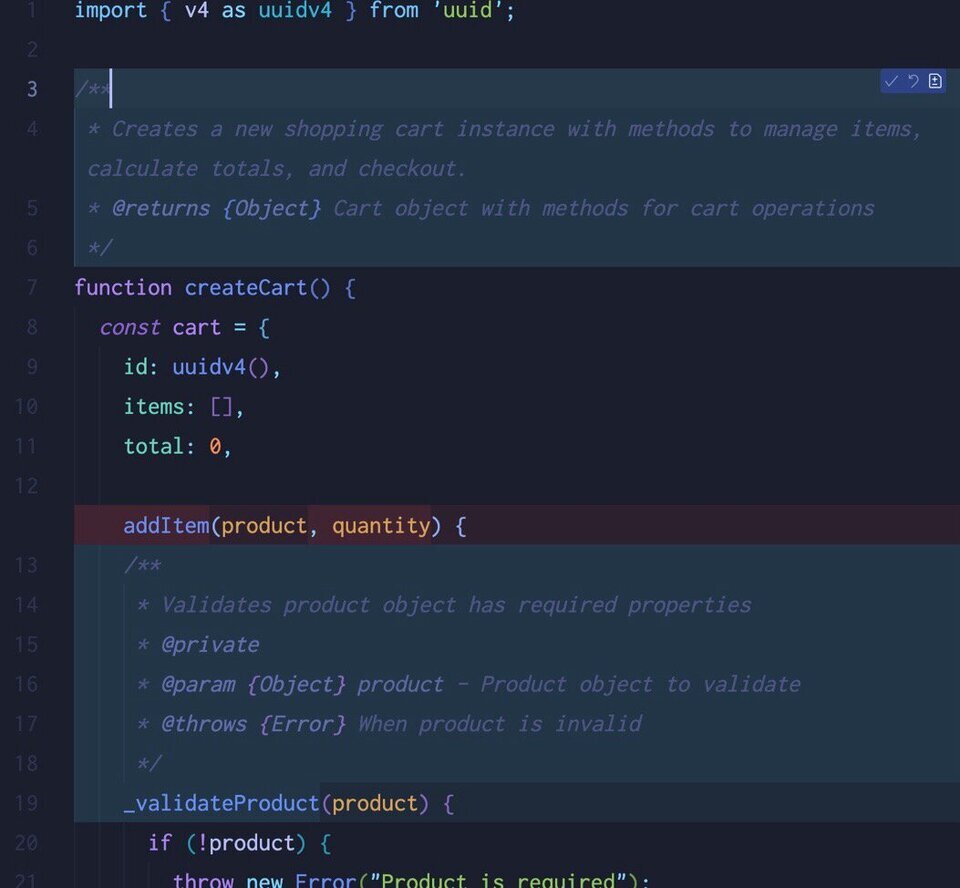
This is a great first step. When the refactor is done, Claude will ask you if it can run tests to ensure it didn't mess anything up - say yes.
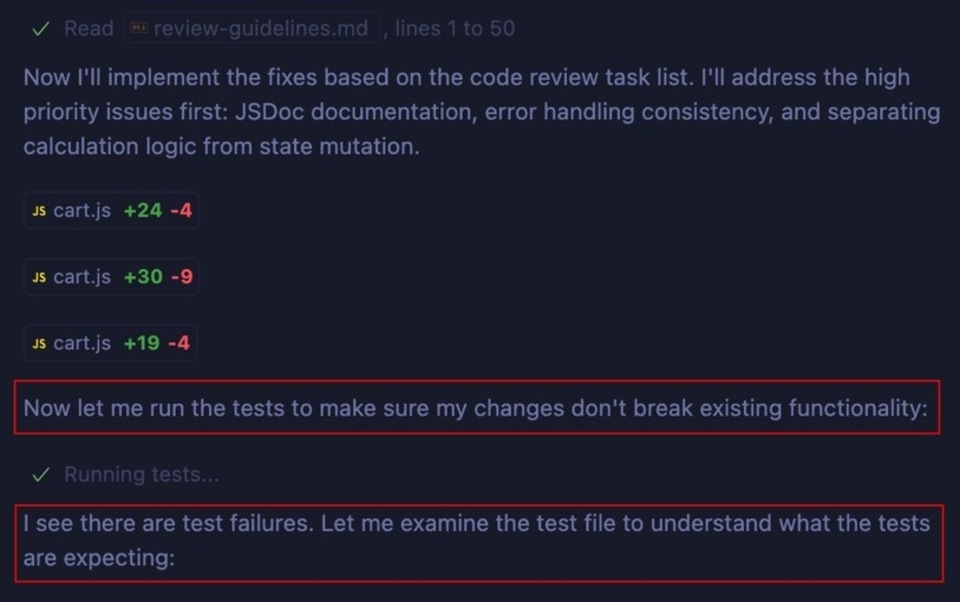
I have never been through a review/refactor session where these testing errors didn't happen. As you'll see, Claude will keep running the tests, changing things, trying again and again.
Warning: make sure your laptop is plugged in when you do this. I've had Copilot send itself into a hole trying to get tests to pass. The reason is because it would make a correction that would fail and try something else. That would fail and then, eventually, it would make the same mistake again… basically walking itself in circles.
You can open the VS Code terminal and watch what's happening in real time if you're worried about an open loop. Sometimes it takes a few minutes … but then…
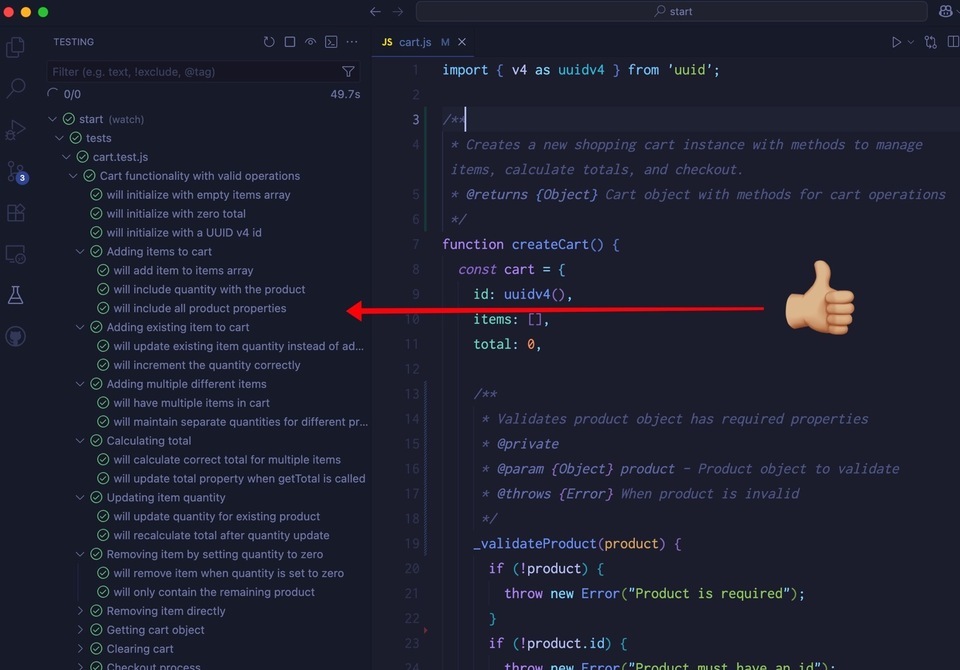
Step 4: Review the Review
We want to be sure we have a record of what happened and why any time an AI tool refactors code. A lot just went on here, so let's make sure we have a record!
I want an audit record of what just happend. Summarize this conversation for later review and add it to the docs/reviews directory. Give it a name and a date as well.
Wait for just a moment, and boom:
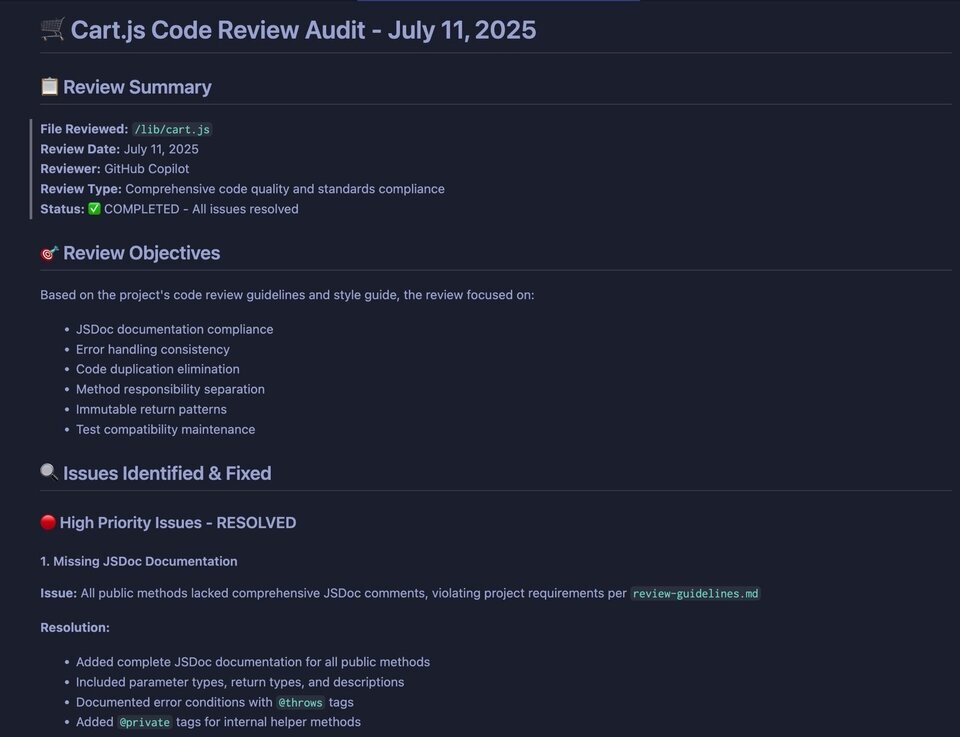
It's a big document with a lot to read. And yes, there might be some “hallucinations” in there, so read through to make sure everything is captured properly.
The bottom of the document is wonderful:
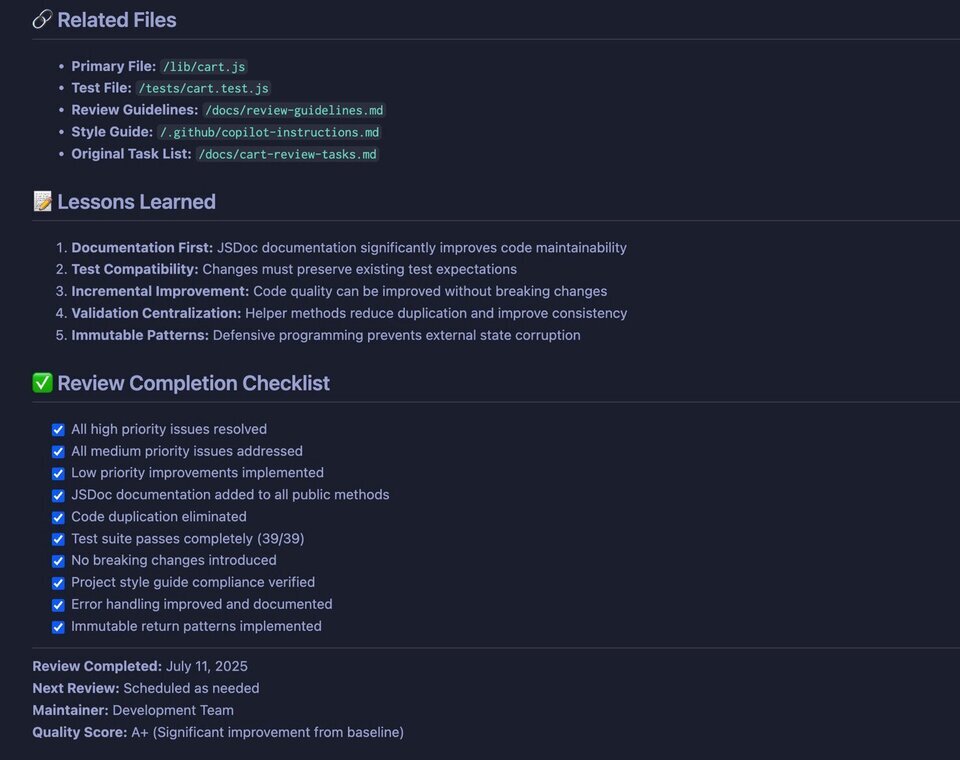
I love how Claude gives itself an A+ on Quality 🤣. Why not?
A focused workshop for working developers who need to use AI right now, in real projects, under real time pressure.