LAB: Preparing for Open Source
A focused workshop for working developers who need to use AI right now, in real projects, under real time pressure.
For our last lab we're going to prepare our project for the Open Source world. This kind of thing is common, thankfully, with the idea that we can learn from each other's code, and also help out if we see a problem.
Many companies wonder why it's a good thing to share their source, and the answer is simple: your code is not your value. Your data is. Unless, of course, you have some patented algorithms in there, which most companies do not.
The point is: if you decide to open source your code base on GitHub, Gitlab, or similar, it's a good idea to have all the public-facing documents in order.
This is the final step for us for this workshop! We'll be using Copilot and Claude Sonnet one more time because I've found it writes the most complete markdown documents. Gemini's terseness is great, but having a full, rounded set of docs is even better.
As always, commit your code if you haven't, and off we go.
Step 1: Updating the README, Adding an .editorconfig
This part is straightforward:
- Open a chat pane and ensure you're in Agent mode with Claude Sonnet 4 as your model.
- Close all open documents.
Now add the following prompt:
Update the README based on the project and prepare it for public viewing. Do not embellish, stick to the facts, but make it entertaining, professional, like a pro. Also add an .editorconfig.
We learned in a previous lab that Claude Sonnet will sometimes try to be helpful by making things up, and that we need to think about guard rails every time we use it.
This looks great:
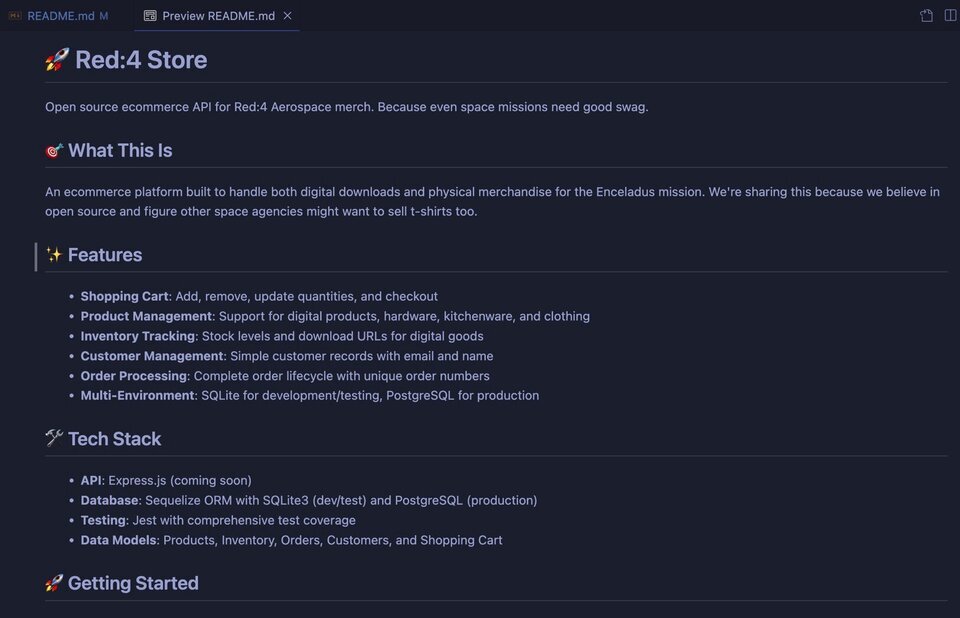
One thing to notice is in the Tech Stack section: the API with Express.js is "coming soon". That's good to see.
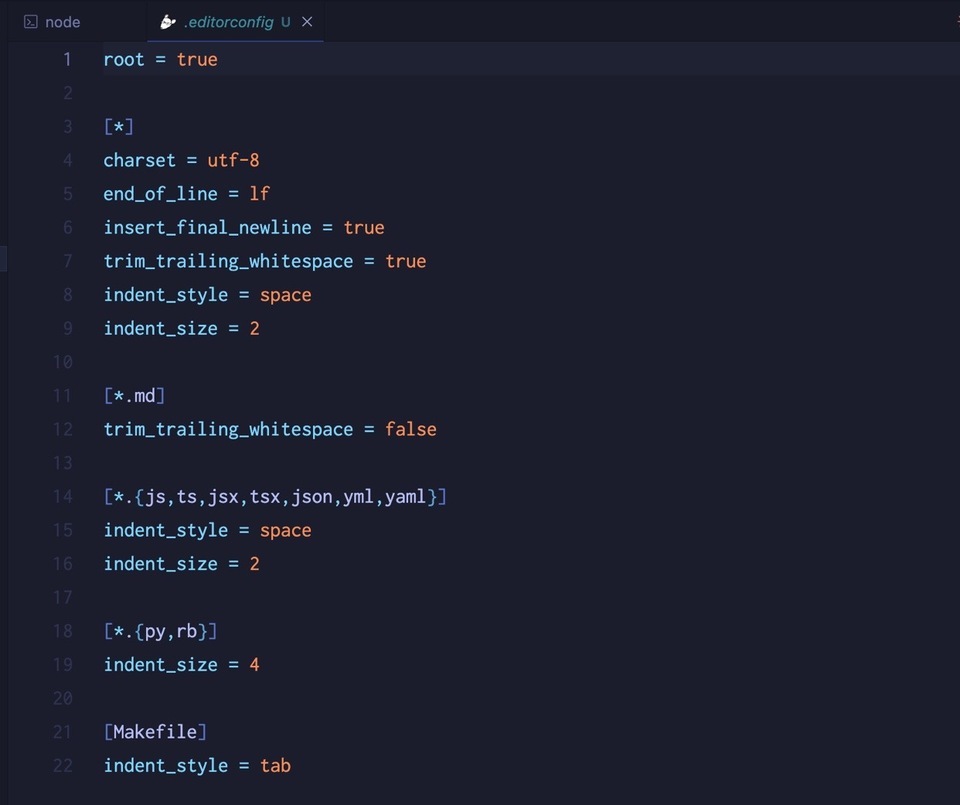
The .editorconfig file is correct as well, using the One True Way for indentation:
Step 2: Adding a License
I'm not a lawyer and can't recommend a license, but I know that many projects favor the BSD or MIT. Let's go with MIT.
Click the plus icon to start a new chat session and add this prompt:
Add an MIT license
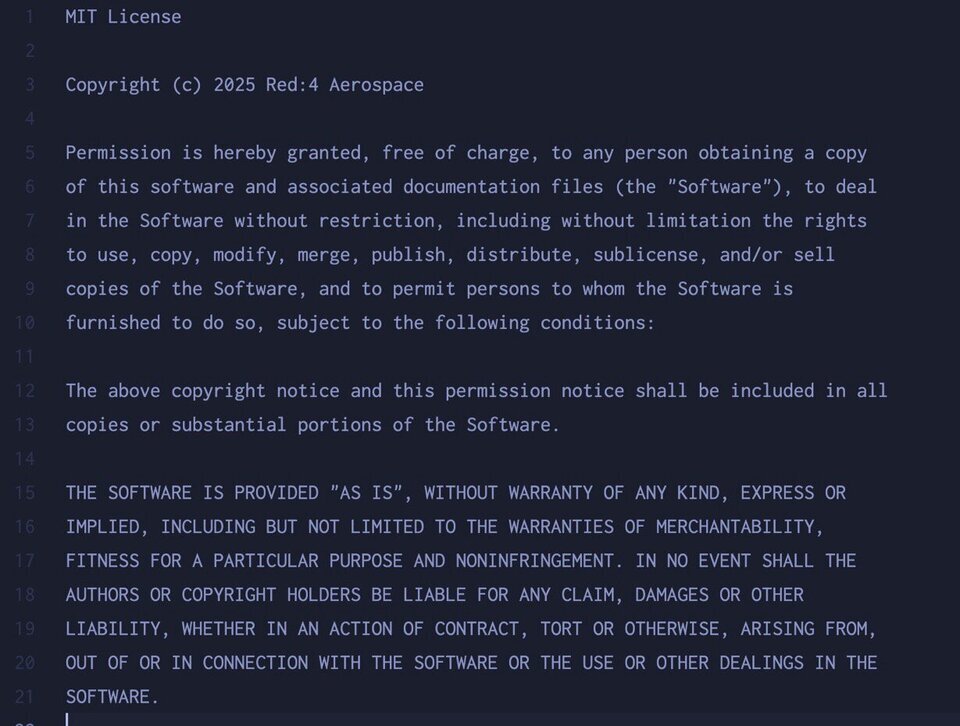
This is perfect, it even got the copyright name and year correct!
Step 3: Adding The Public Docs
I don't know about you, but I always forget the documents I need to add when it comes to having a "professional" appearance when it comes to open source.
So let's ask:
What public documents do open source projects typically have aside from a README and a LICENSE?
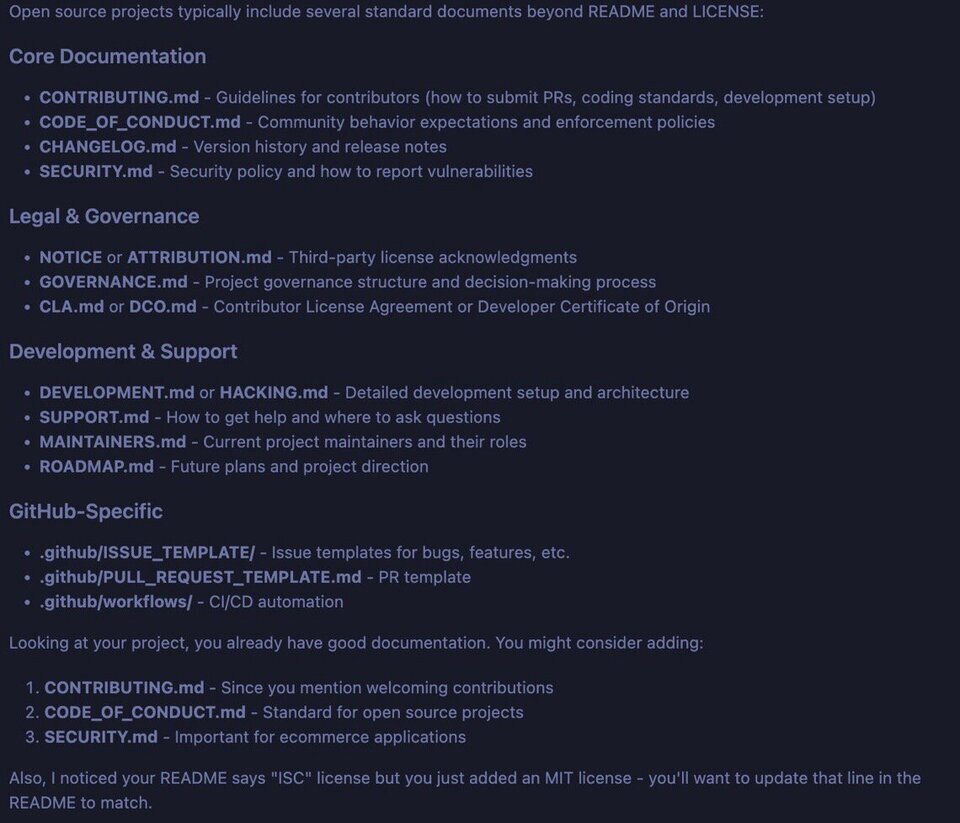
That is a very complete list. Let's have Copilot add all of them so we can look through them.
add all of the above document and update the readme
It takes a few minutes, but it's absolutely worth it. Here's a summary from Copilot:
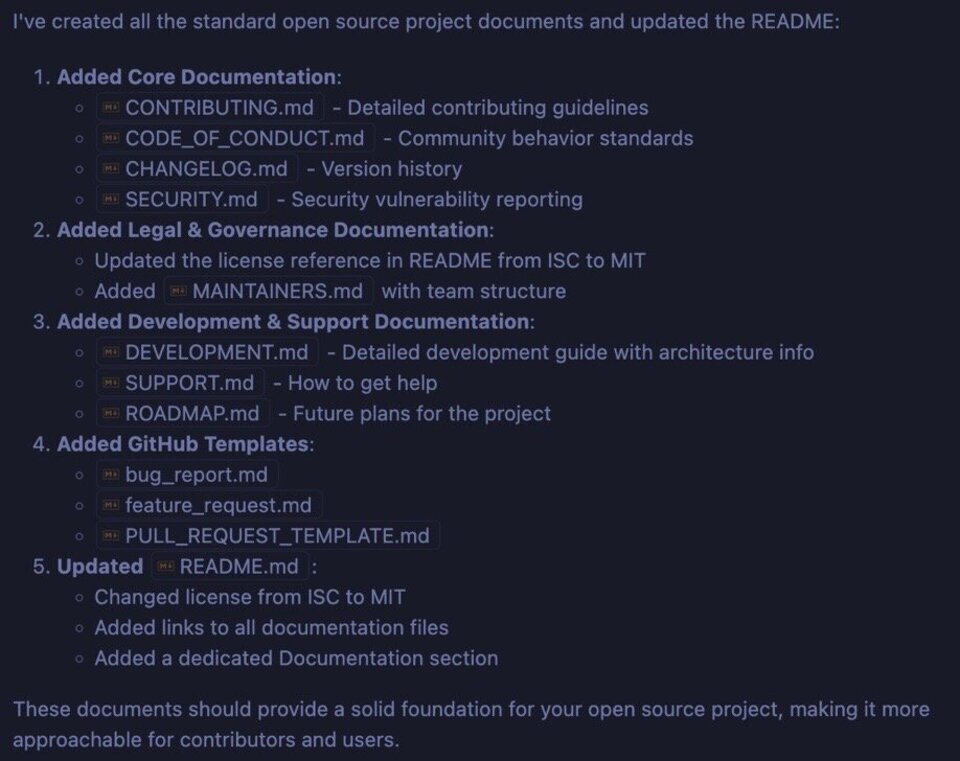
That's a lot. Let's review. Press "Keep" so all the documents get written, and we'll remove the ones we don't want as we go along.
Step 4: Reviewing What We Have
A lot of things just happened, and we're going to want to go through each document that was created to make sure it aligns with what we want, and doesn't have hallucinatory strangeness.
Let's start from the bottom up.
SUPPORT.md
As you work more in the open source world, people are going to want to know how they can get help for the work they're doing based on your code. This is what a SUPPORT.md file can do for them: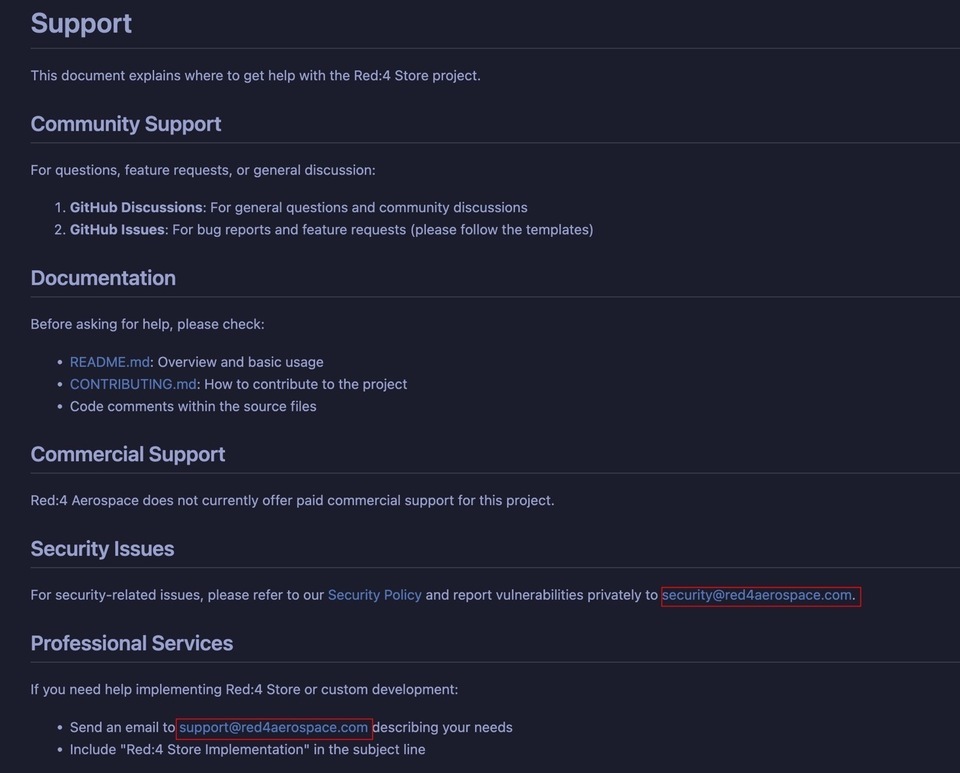
If you do offer commercial support, this is a great place to let people know that! The only thing we need to update here are the email addresses, which Claude made up as it needed one and we didn't provide it.
We'll keep this document.
SECURITY.md
It's generally a good idea to have guidelines for the public if they find a security issue, which they will. It might not be in your code directly, but it could be in a package you use or a service provider. Either way, giving people a way to contact you is always a good thing.
We have two issues with this document. The first is the made up email, the second is the "supported versions".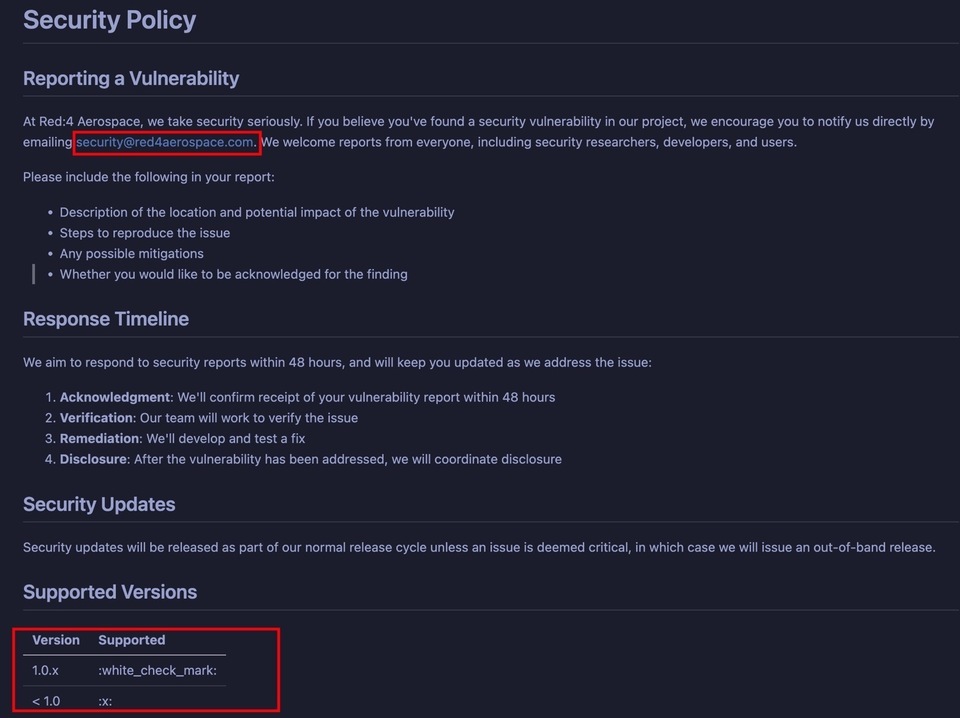
Update the email address and perhaps remove the "Supported Versions" section, and this document is good to go.
ROADMAP.md
This document is the one that we'll likely delete altogether. That said, there are quite a few things in there that we as a project team should consider moving forward. Maybe we keep this and move a few things around?
Completing the API seems reasonable, as does authentication and authorization. Search, admin stuff, CI/CD…
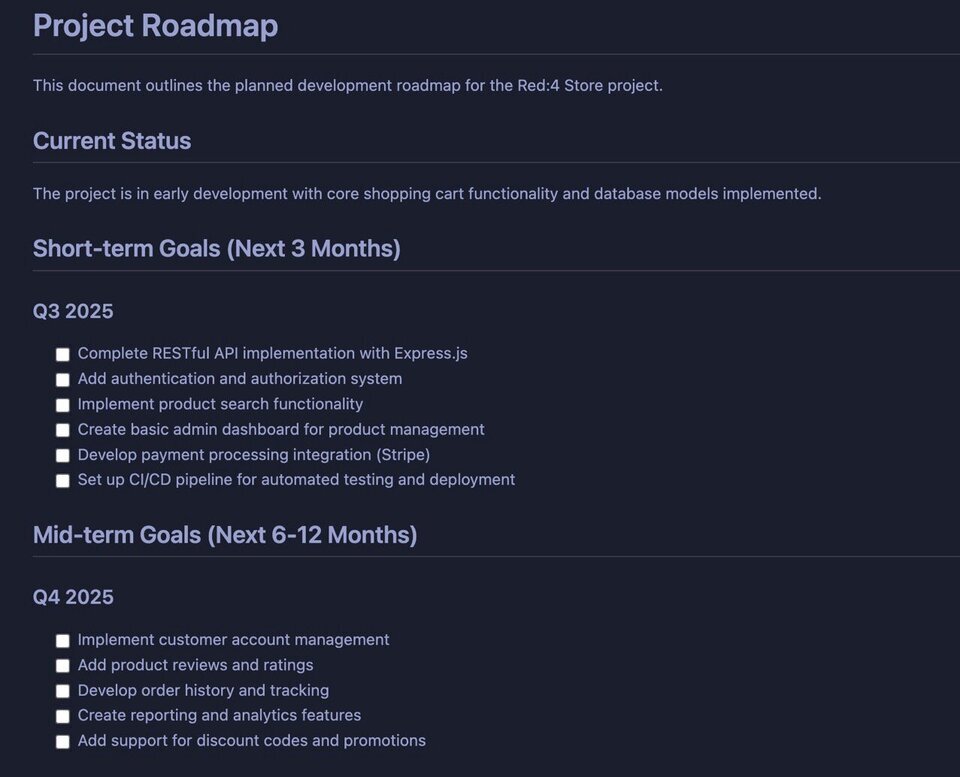
Letting people know your plans is a hallmark of a well-run open source project and you'll be loved for it.
MAINTAINERS.md
If you have a large project and you want to let people know about the project team, both internal and collaborators, this file is useful.
Unfortunately, it's also completely fiction:
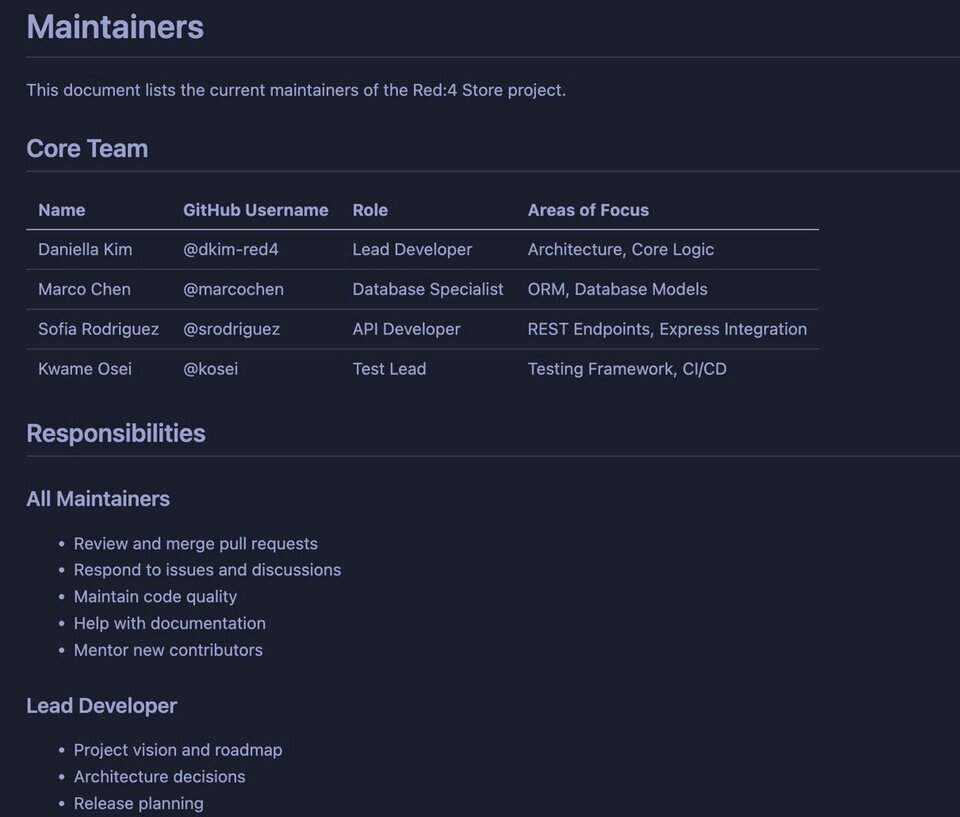
Let's delete this. Or, if you like, update it and keep.
DEVELOPMENT.md
If you're hoping for help from the community, this document is pure gold. It provides instructions for people on how to get set up, how the project is structured, the architecture, how to test, and so on:
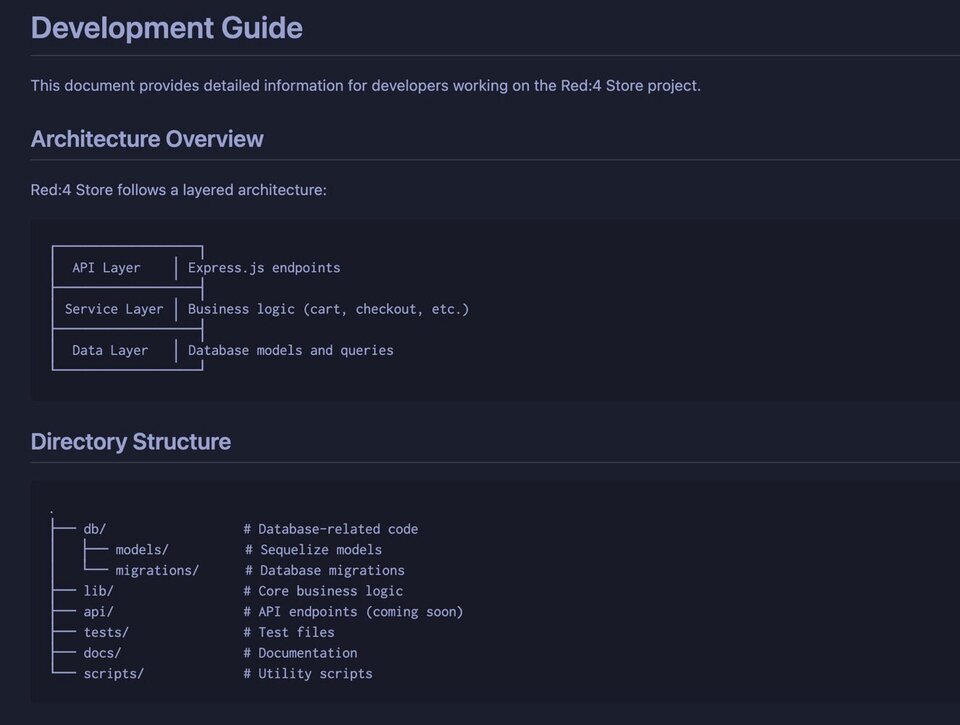
Claude did a very good job translating our style guides into the DEVELOPER.md document didn't it?
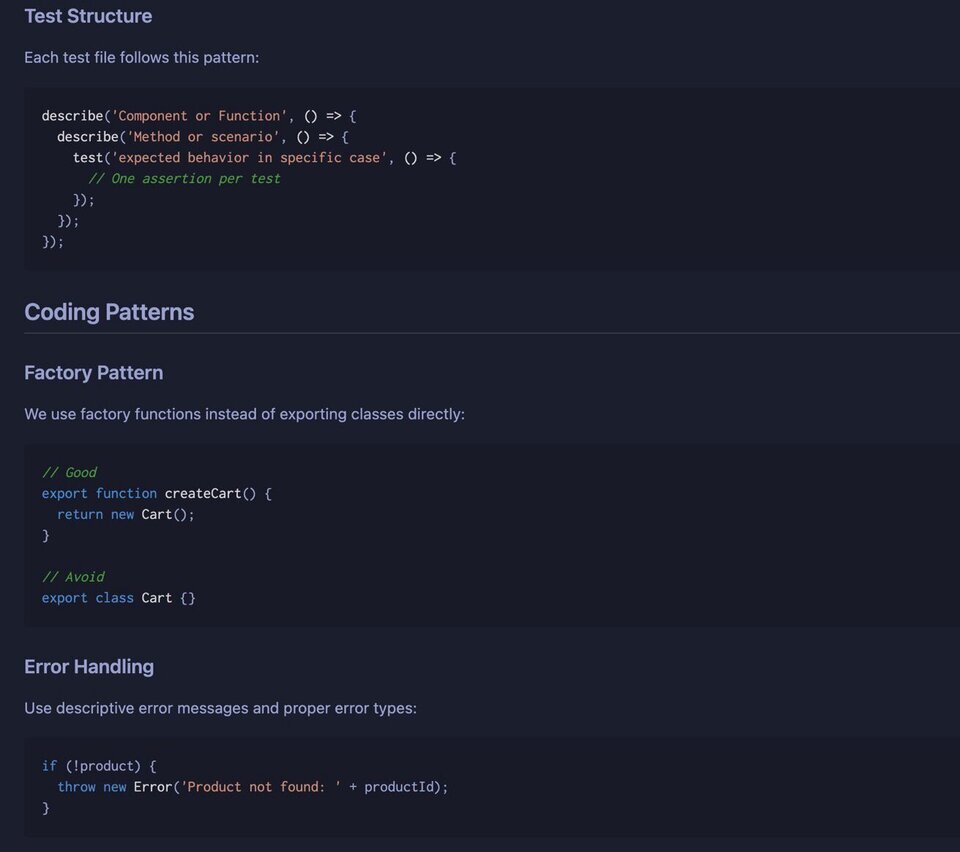
CONTRIBUTING.md
This file is a must-have as it tells people what you expect in terms of contributions. There is overlap with DEVELOPMENT.md, but that's OK. This is more about the process of contributing and repetition is good when it comes to programmers reading things.
There's nothing we need to change in here. It's great.
CODE_OF_CONDUCT.md
Every project should have one of these. Your issue list will blow up at some point and when you have to ban someone (which you will), you want to be able to point to the CoC.
The one we have is the boilerplate from GitHub, which is fine. The only thing we need to update is the email address.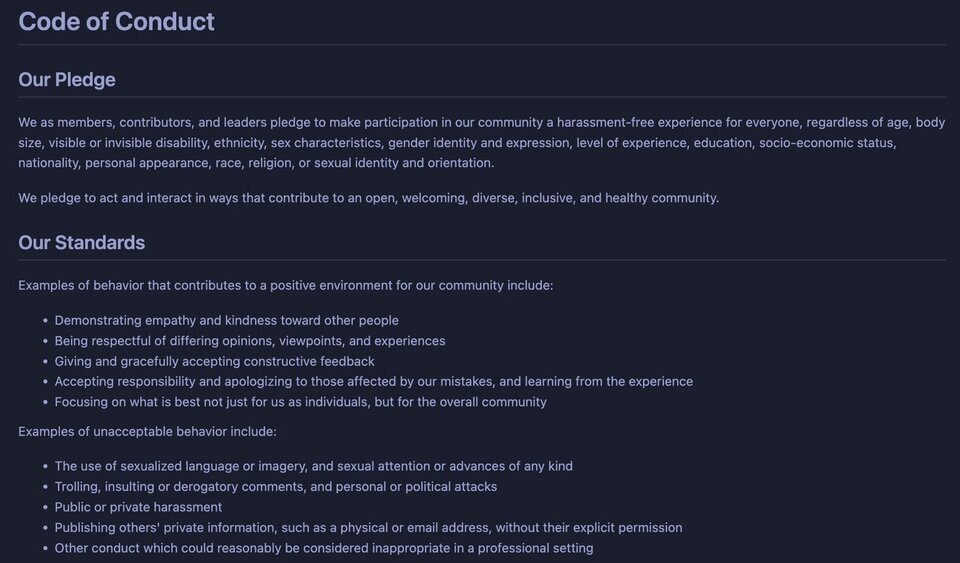
CHANGELOG.md
We don't really need this right now, however it's a good idea to get started with one when your project is finally released. It's up to you when you provide it, but programmers like to pore over these things so they know when a feature was added or removed.
ISSUE_TEMPLATE
You may or may not want to use one of these, but it will save you time when public issues start coming in. Issues with the title "cart not working" (without a body) are quite common, because programmers are generally horrible at creating issues.
Help them out by providing templates for bug reports, feature requests, and other things.
There's also a place for a pull request template (Claude may have provided this for you). This is a tough one.
We want public involvement, but making people think too much will make them go away. As you review these templates, make sure they're extremely light weight.
This pull request template is not that:
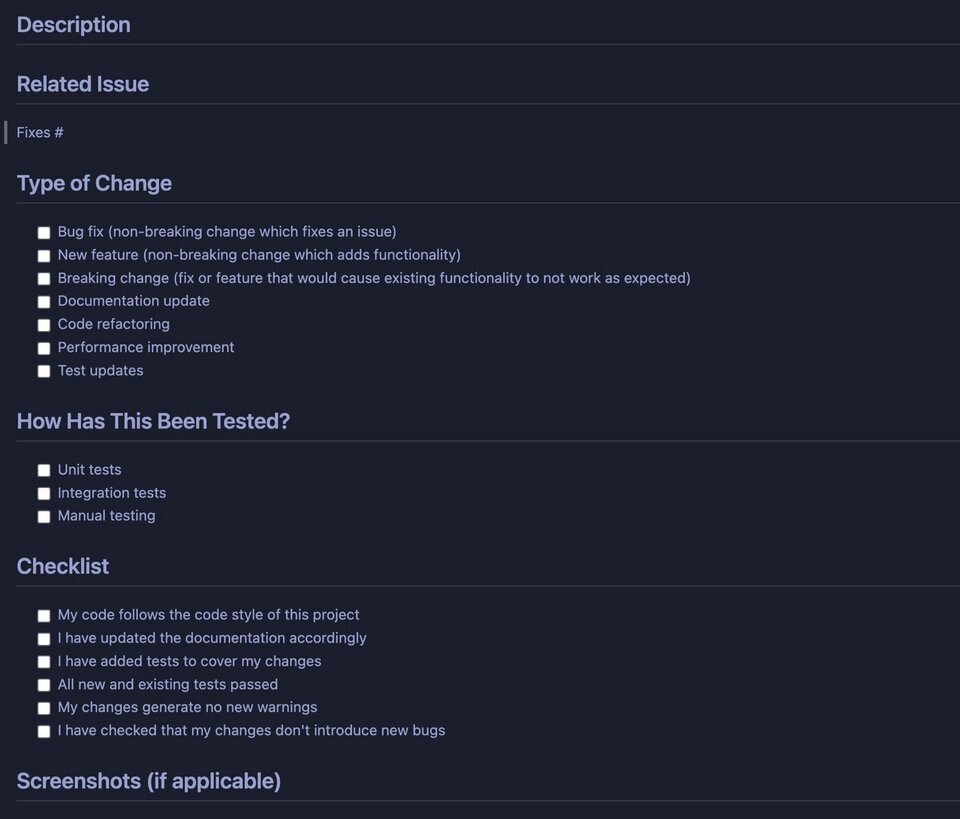
Creating a PR is a gift, let people give to you!
Discussion and Summary
As you've hopefully come to understand, AI is very good at boilerplate. The documents above are exactly that, written many times over by other developers to the point where GitHub will just generate some for you if you ask.
Here are some things to ponder:
- Which of these files do you find useful?
- Which did you delete and why?
- What would you change in them, and why?
See what your workshop friends think, and if you have a different opinion, share! That's what drives the open source world: discussion, sometimes tension, and camaraderie.
A focused workshop for working developers who need to use AI right now, in real projects, under real time pressure.