LAB: Create an Initial Spec

A focused workshop for working developers who need to use AI right now, in real projects, under real time pressure.
For this lab we'll be using Gemini CLI, but Copilot with Claude Sonnet 4 or Gemini 2.5-pro would work in much the same way.
We're going to tackle the first iteration of our store, which is to create the basic sales "stuff", which includes:
- Product information for both physical and digital products.
- Inventory control for physical products.
- The ability to track and fulfill orders.
- The basics of a shopping cart.
We can change this as we go along and update the things that need updating, which is something you should understand right from the start.
An AI Strength: Boilerplate
LLMs are exceedingly good at handling "boilerplate" code, which usually applies to things like data access, mapping records to objects, and commonplace logic like shopping carts. Given this, our approach will be to allow our LLM to "own" the boilerplate, iterating on it as we iterate our instructions.
This might not make sense, but it will soon.
Step 1: Setting Up Instructions for Gemini
Adding instructions for Gemini is exceedingly simple:
- In the root of your project, type
cp .github/copilot-instructions.md GEMINI.mdinto the terminal. Or just copy/paste the instructions file to the root of the project and rename it. - Edit the
GEMINI.mdfile and replace "Copilot Response Tone" with "Gemini Response Tone".
We're duplicating things here and it might feel messy, but I think it's worthwhile to see how Gemini can do this vs. Copilot. If you want to keep using Copilot, that's fine to! Just add all the instructions below to the copilot-instructions.md file.
Step 2: Adding Our Initial Spec
This is our first try at a specification for our store, and as I keep saying, it's OK if we don't get it right the first time! We can keep iterating and updating things as we go.
Open up your GEMINI.md file and add the following after the first paragraph:
# The Red:4 Store

This will be an open source ecommerce API for Red:4 Aerospace to sell merch for the Enceladus mission in 2029, where we'll be sending a probe beneath the ice of the little Kronian moon looking for signs of life.

We're sharing what we're building because we like open source and want to give back.

## Spec

This is an ecommerce store that will deliver both digital and physical goods. To that end, we need to track:

 - `products` with a `sku`, `name`, `price`, `description`, and `type` (digital, hardware, kitchenware, clothing, etc).
 - `inventory` that tracks products and their stock levels as well as location. For digital products, this should indicate download URL.
 - `orders` with a unique, random `number`, `total` in pennies, `date`, `status`, `transaction_id` if it's checked out.
 - `customers` with unique `email`, and `name`
This is a solid first start. Let's see what we can do with it.
Step 3: The Initial Database Schema
We'll be working with SQLite3 for our database which means we'll need to create some tables for our data. Our spec is a bit sparse, but it should be enough to get us off the ground with Gemini's help.
We'll start with a simple prompt:
create an initial SQLite3 schema for the project. Add tables and relationships for an ecommerce app that I might have missed
You might see a response like this:
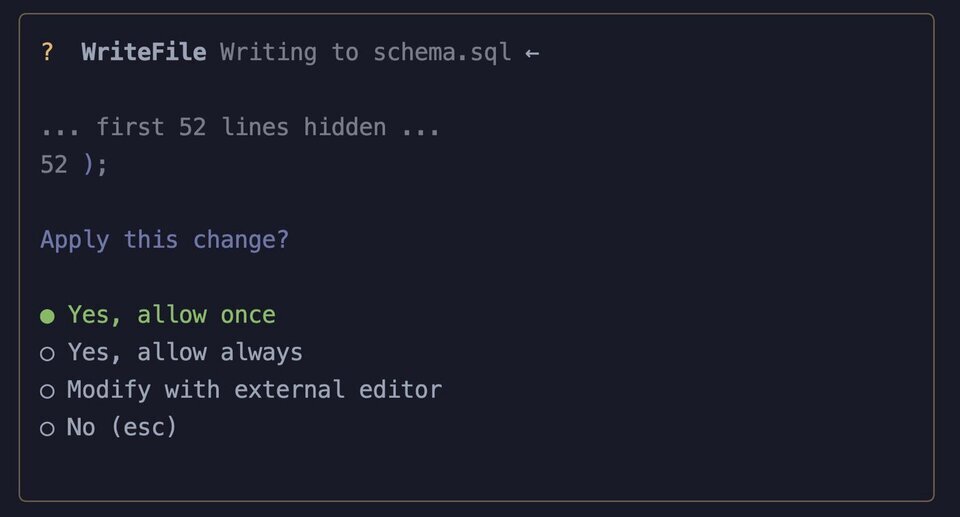
We learned something here. Gemini will decide, sometimes, to create a file instead of output the code to the screen. Copilot has an explicit "Ask" mode for this, but CLI tools like Gemini CLI and Claude Code do their best to do what they think you want.
That's OK, we can hit escape, followed by up arrow, and modify our prompt:
create an initial SQLite3 schema for the project. Add tables and relationships for an ecommerce app that I might have missed. Text only for review.
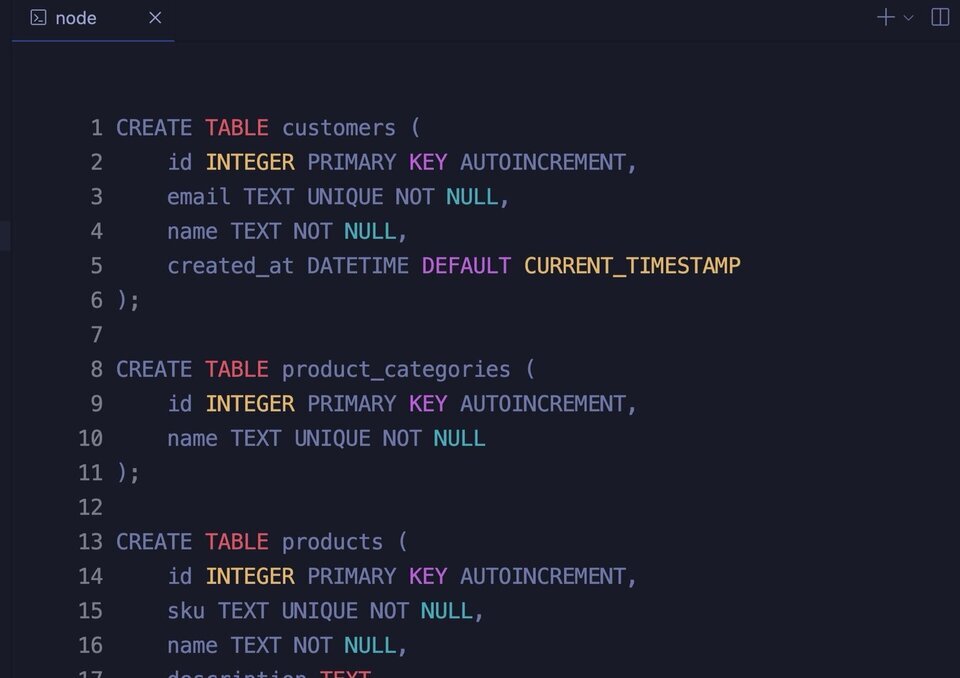
Not bad. We could go through here and nitpick things, but we'll do that in the next lab. For now, let's add this to a /db directory:
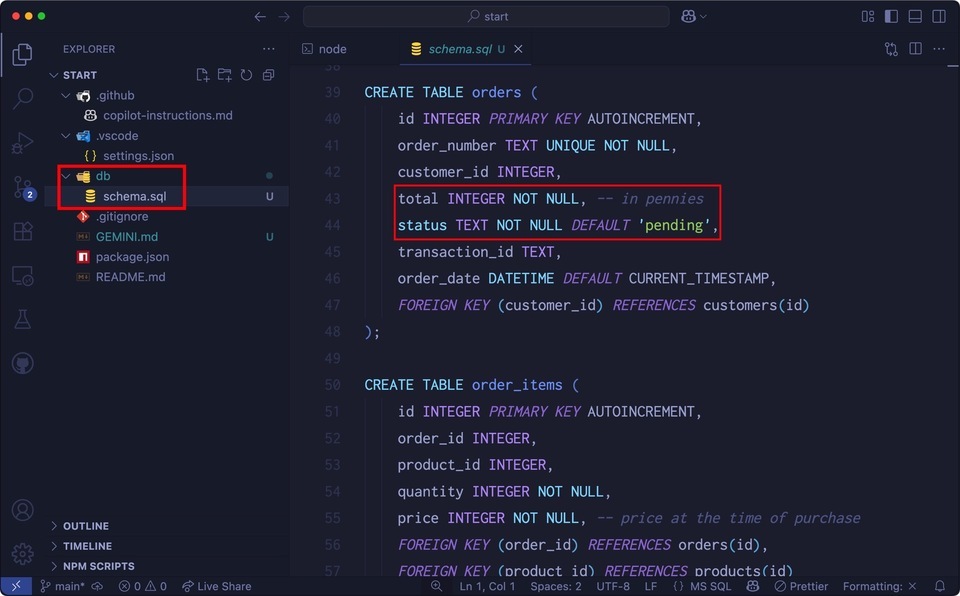
Looks good! Notice that the total field is an integer? Same with price on products? We had that in our spec, and Gemini complied.
Again, there might be a few fields you'll want to add or tweak, and feel free to do that now. As far as style goes, hold off until the next lab.
Step 4: Adding Test Data
One of the more amazing things that AI can do is to create test data for you. Sounds wild, doesn't it?
Try this:
Create test data using @db/schema.sql as a guide. Add 10 products and 10 orders, and whatever other data is needed. Make sure the emails use "test.com", but have some fun with the rest of the data using a space theme and trivia about Enceladus. Output to db/test_data.sql
Feel free to review the output first, but sometimes it's easier just to have a file created. You'll be asked to approve the WriteFile function, and when you do…
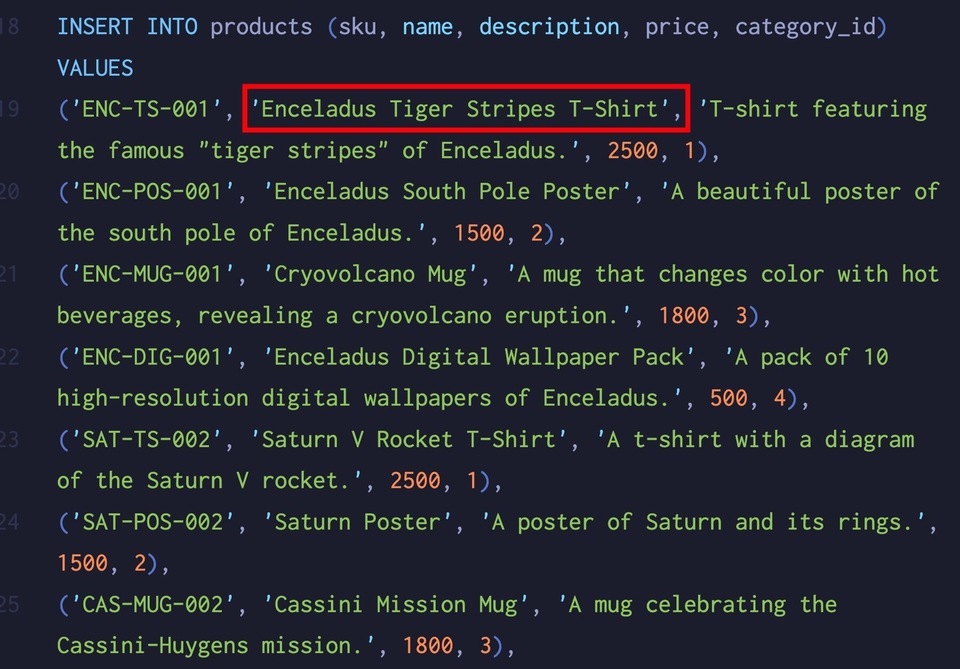
It's strange that LLMs can have a sense of humor! This data looks good, but make sure you check it over to ensure there's nothing off-putting, possibly offensive, or possibly real (like an email address).
Note: if you don't know about Enceladus, have a Google or ask your favorite LLM. It's an absolutely astounding story about a small moon that jets ice into space around Saturn. The jets are on the south pole, and are nicknamed the "Tiger Stripes". They spew water into space that is essentially the same composition as our own ocean. The water also has traces of molecular hydrogen, which is a byproduct of methanogenesis, something that happens in deep sea black smokers here on Earth. This has led scientists to believe there is very possibly life up there…
Step 5: Run It!
All of this SQL is great, but not if it doesn't work. For our last task, let's have Gemini create the database and add the test data:
create the database and add the test data to db/red4.db
You'll see, once again, a series of commands that Gemini will want to run. Here, Gemini is using the sqlite3 binary (which you'll need to install if you don't already have it) to execute the schema.sql file. You'll also be asked to confirm the test_data.sql file execution:
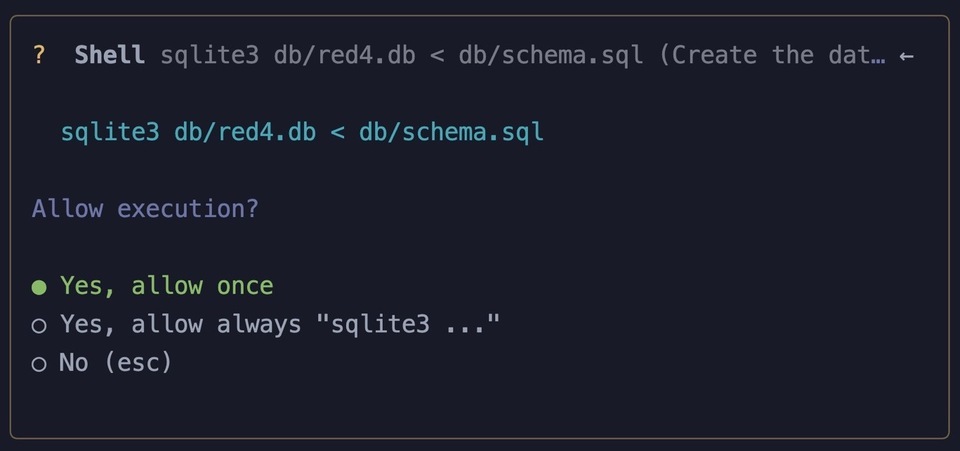
Ideally, there are no errors. If you do encounter an error, Gemini will try to fix whatever the problem is (including installation of SQLite3 if you need).
Otherwise, you should see this:
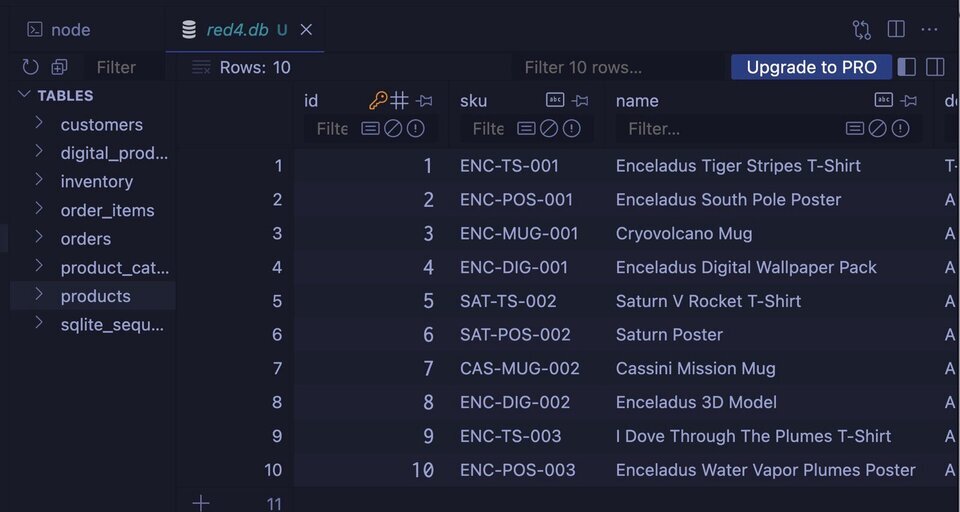
I'm using the SQLite Viewer extension for VS Code here, which is a very good tool for quickly reviewing a SQLite database.
Extra Credit
Are you a PostgreSQL fan? Or do you have to use SQL Server for all projects? That's fine! Hand Gemini (or Copilot) the generated SQL file and have it convert it for you. It's a quick prompt and you'll be amazed at how accurate it is.
Discussion: What AI Is Very Good At
We didn't ask very difficult questions in this lab, so Gemini was able to do what we asked with relative ease, and few corrections. Creating a SQL schema from a text specification is reasonably straightforward, and if it doesn't work the way you want, add more words to the specification.
A final bit of reflection: how long would it have taken you to do what we just did in 15-30 minutes?
A focused workshop for working developers who need to use AI right now, in real projects, under real time pressure.