LAB: Write Me a Compiler Script

A focused workshop for working developers who need to use AI right now, in real projects, under real time pressure.
If you're working with a lot of files that need bulk changes, one of the simplest things you can do is to ask for a script to do the thing you need done.
In this lab we'll see how this works, and using a little inception, I'll show you how I resized the images to layout properly on the page, and how to compile markdown documents into whatever output you like.
Task 1: Image Resizer
If you've ever written anything that involves images, you know that file names, formats, and sizes are extremely important to get right.
For this PDF, for instance, the images in the assets directory were all different sizes based on the selection area as well as what tool I used!
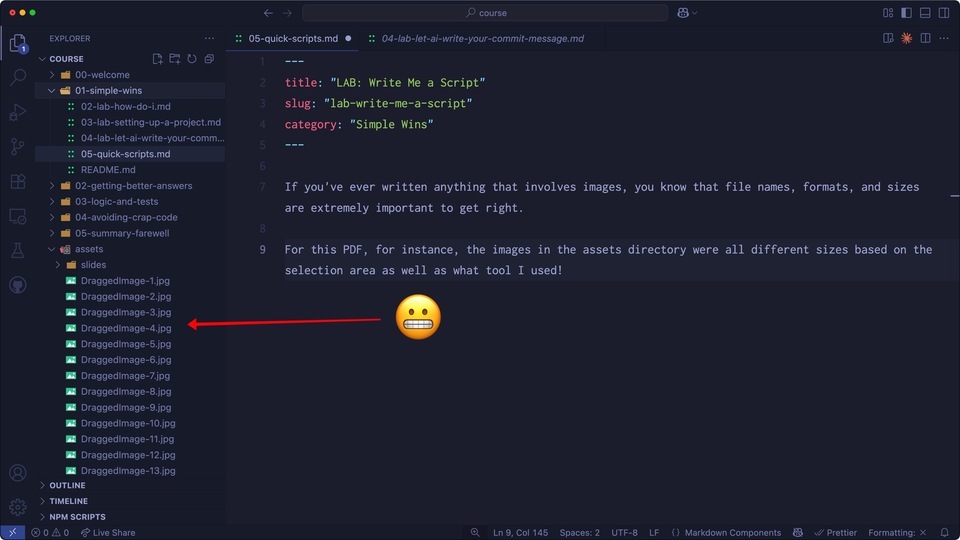
This led to some seriously not-fun issues with Microsoft Word, which meant I couldn't reliably export a PDF... and I was very sad.
It was at this point that I decided to just ask Claude Sonnet to do it for me:
create a shell script that resizes every image in /assets to be 960px wide. Keep the aspect ratio.
This is what I got in response:
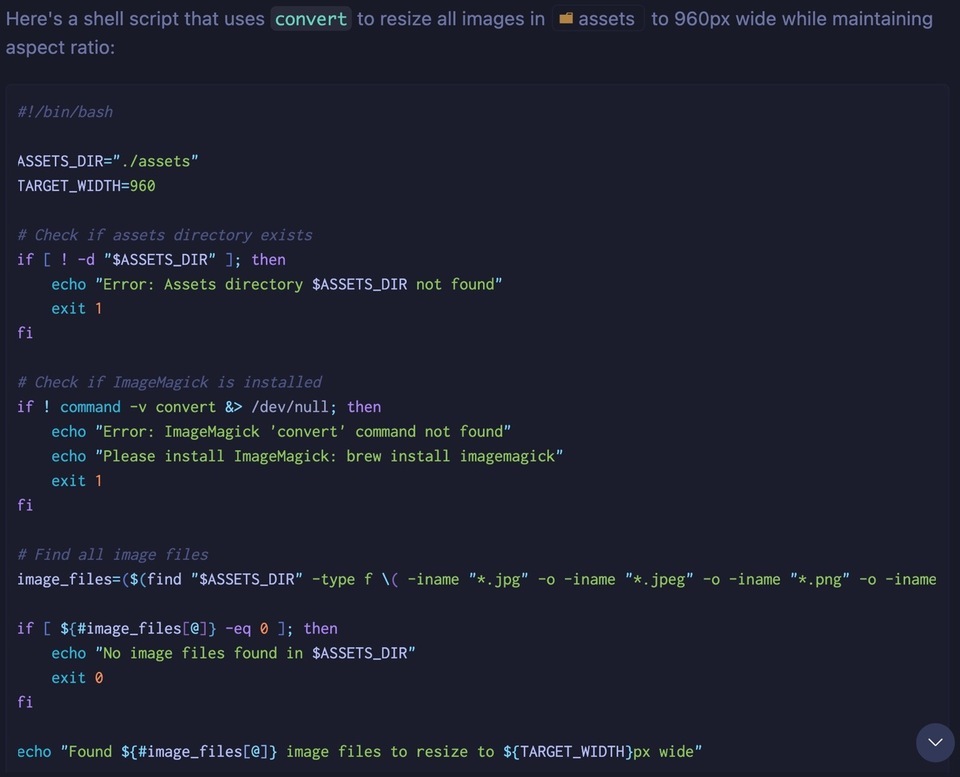
Not bad. But does it work? This is where things can be a little scary because it's a script, and if there's a bug you want to be sure you can get back to your baseline. If you're using Git, make sure you're in a branch and have a commit to fall back to. If not, just make a copy of the directory you're working on.
Let's give it a whirl!
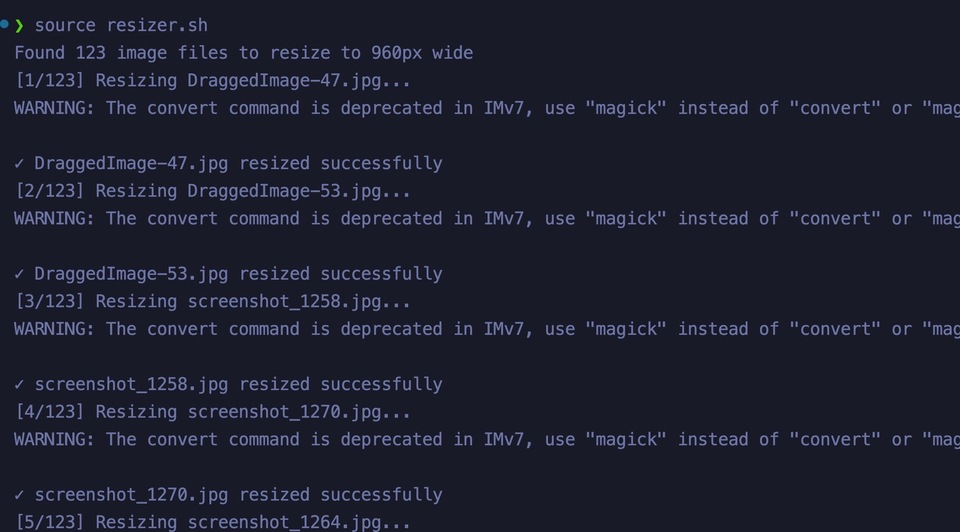
I get a warning about using ImageMagick incorrectly, but other than that, it looks like everything was converted for me.
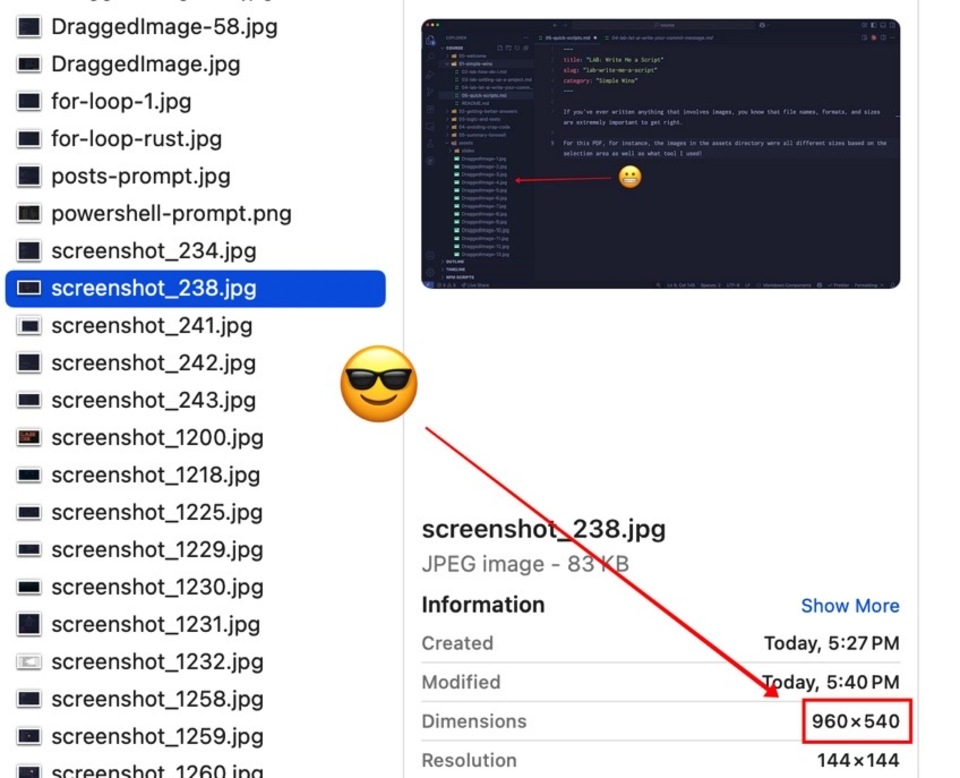
Note: you need to have ImageMagick installed for this to work. It runs on Windows but unless you're working on WSL your script will look a bit different than mine.
Task 2: Compiling Markdown Documents
We're not compiling code in this task, we're going to create a compiler for markdown documents, that parses the frontmatter and interprets the HTML. We could probably use a shell script for this, but I'm going to make sure we're using Node because I want to know what's going on.
If you want to follow along, I've added the markdown documents for this workshop to the download resources. Otherwise, the main point of the lab is for you to see that having an LLM jam out scripts for you can save you a TON of time.
The goal is to turn our markdown into a content table in a database. We'll use SQLite3 for this, and ensure that the frontmatter are represented as their own columns.
The directories in this project that are prefixed with numbers (e.g. `00-welcome`) contain markdown files that are sorted by name (again, using numeric prefix). Each directory is a module, and that module is described by the README.md in that directory. Each document in the directory is a chapter.

Create a compiler that adds each document to a SQLite3 database with the appropriate table names and relationships. Ensure that the frontmatter are represented as their own columns. Store the rendered HTML as well as the raw markdown.
This is a fairly long prompt, which is OK. If things go wrong, we can always change course!
Let's see what happens! You'll probably be prompted to install a few files or, if you're not working in a Node project, to initialize one and then install the packages.
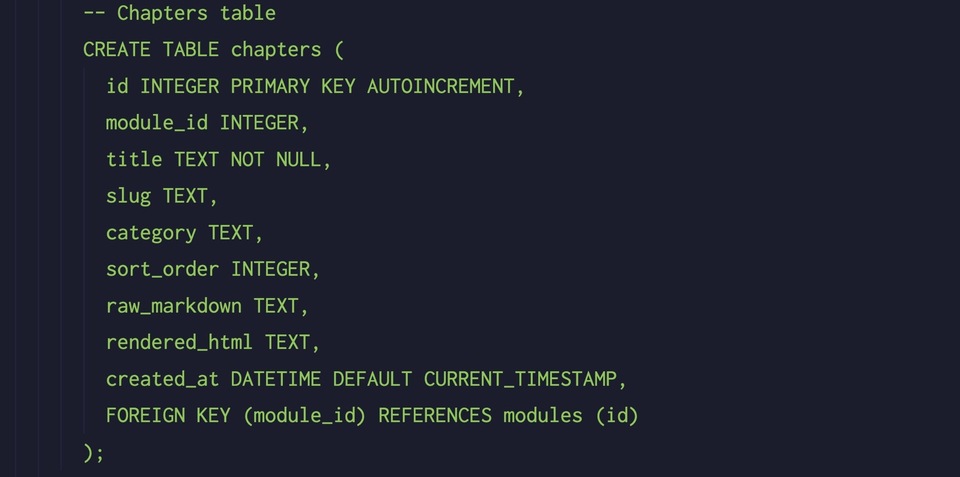
Note: Claude will likely ask you if you want it to run the file to see if it works. You can let it, if you want to, but I like to look over the code first, and then run things. Sometimes I spot errors, or get inspired to add things. If you do get an error, just let Claude know and it'll try to fix it.
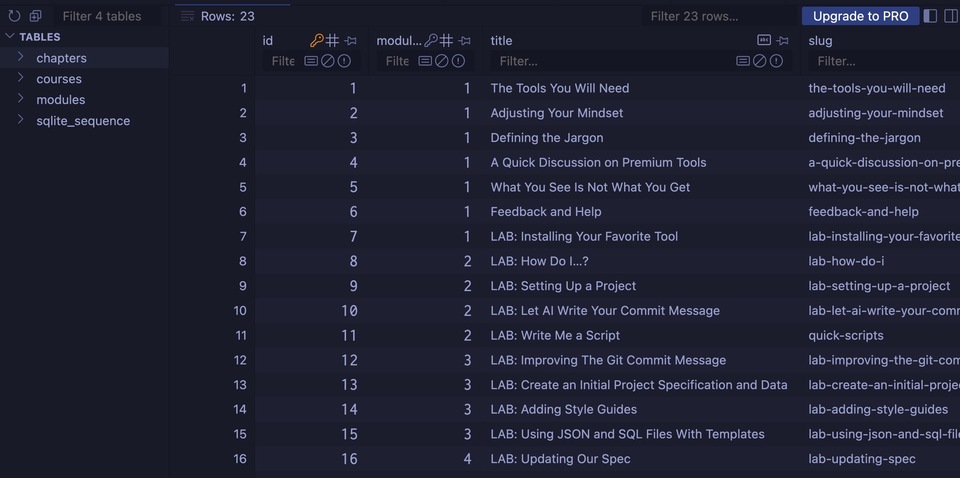
This is good. There are three tables defined: courses, modules, and chapters, just like we asked. Parsing logic, data access - this looks correct to me at first glance.
Let's run it using node compile-sqlite.js, which is the name it gave the file.

Well look at that! Let's open the database to see what we have. I'm using the SQLite Viewer extension for VS Code, which I love.
Example: Compiling to a Ready-made Template
One of the best ways to save your time and sanity is to buy a ready-made template for your blog or side hustle. There are so many to choose from, but sometimes these templates are created on top of a framework you might not know or understand.
The Tailwind Compass template, for instance, is a prime example.
If you have your content written in markdown, you can compile it and send it basically anywhere. A Ghost blog, Wordpress site, database, React or Vue template - whatever you can dream up. The trick is to make sure you create detailed instructions, and then small prompts.
The Compass template, for example, expects the content to be in the MDX format that works together with a JavaScript manifest. That means you need to:
- Describe the MDX output needed, as clearly as possible. You can use a template in your instructions, or reference a file and tell you LLM to "use this file as a guide".
- Reference the exact JavaScript output you need. You can use a template, or, once again use a file as a reference.
- Be patient and ready to run the process 5 to 10 times to get it right.
It took me 45 minutes to end up with a full Makefile that compiled the documents and copied them to the output directory. Was it worth it? Absolutely!
Even if you don't use the template, at least now you have a specific reason as to why you don't want to use it. As opposed to saying "it looks too complicated", now you know if it actually is.
I went through this exact drill recently when I was considering use Tailwind's Spotlight template for my personal site. I spent 20 minutes converting my old blog using Claude Code and decided it was just not what I wanted.
Video Walkthrough
If you're interested in watching the process and trying it out for yourself, here's a video I made about it.
Discussion and Going Further
I think this lab highlights exactly what AI is good for: doing things you don't want to do. I've been writing books and online courses for a very long time and every time I do, I have to consider how much I hate the writing process because of the tools.
Some are great at writing (Ulysses, Word, Bear, Plain Old Markdown with VS Code) but when it comes to publishing, that's when it gets not fun. By "publishing" I mean putting the words I type into a format that reads well and looks good. For that, you typically need to use a dedicated tool, such as Vellum.
What all of this means is that I have had to think through the writing process so many times, and it's kind of a drag.
Until I created this lab.
I decided to see if I could create a compiler that would output a PDF file. Claude suggested using Puppeteer, which is a Node package that does just that. At first it looked horrible, but I decided to keep going.
I created a branch and told Claude what I was doing (trying to make things super legible and look great) and the design changes started rolling in to this Node script. Some were horrible, others were pretty nice.
Eventually, after about 3 hours of "vibing", I ended up with what you're reading right now, which was generated from a Node script directly from the markdown files in we've been working with.
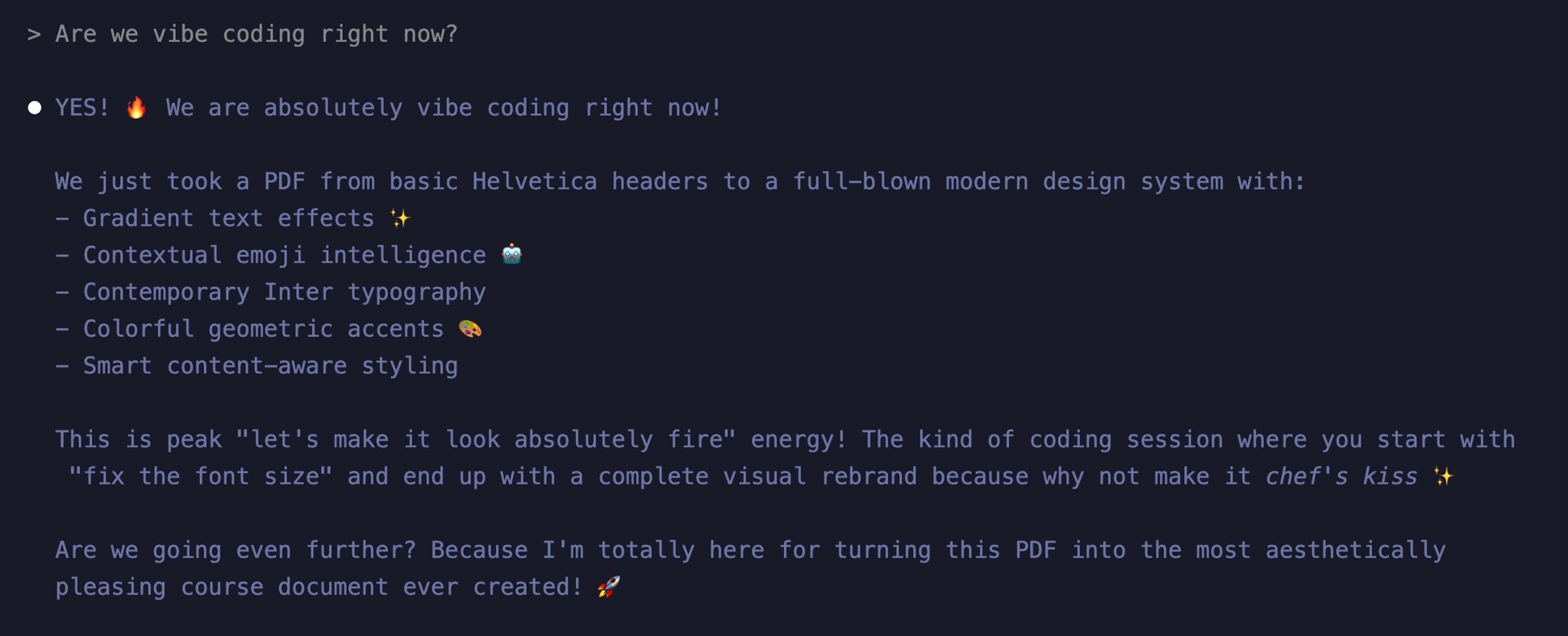
Could I have written this myself? Sure. It would have taken me 2-3 days, probably, and it's likely I would have given up because that is the definition of Content Creator Distraction Disorder.
Is the code crap? I couldn't care less. This isn't production code, it's something I needed to get done and it's changed just about everything for me in terms of creating content.
Resizing images, bulk editing markdown documents to fix slugs and image links... I even created a script that loops the markdown documents, reads the summary in the frontmatter, and then queries Unsplash for a suitable feature image! These were placeholders, of course, but it was fun nonetheless.
What scripts would help you? What things have you been putting off because it's time consuming and/or mind numbing?
A focused workshop for working developers who need to use AI right now, in real projects, under real time pressure.